Home Blog Page 102

On-Page SEO – Ultimate Guide

Does SEO really matter for your business?

Do you need to invest your time and effort in SEO? or

Can you generate traffic and conversions without it?

If you’re scratching your head with these questions, you’re at the right spot. Search engine optimization can make or break your business. In the article, let’s discuss what is on page SEO, the importance of SEO and how to do on page SEO.

Let’s dive into the topic!!!

What is on page SEO?

Search engine optimization is the practice of improving the “quality and quantity” of organic traffic to the website.

In other words, search engine optimization is the process of improving the website visibility for user-relevant searches. Any website can rank higher in search engines with SEO best practices and strategies. Search engines are probably the main source to discover content, ranking better in search engines is the best way to increase traffic to your website.

Importance of SEO

Search engine optimization is the fundamental and basic concept of digital marketing. It’s no surprise that people often conduct billions of searches every day, probably with the intention of finding information on the new mobile or health care service. When you hit the competition and rank higher on search results, you can generate excellent results on the bottom line.

Wait a moment!!! The search results are been evolving for the past few decades to provide online users with direct information to keep up the users. When the user got the necessary information they stop looking for other websites.

Keep a note, features such as rich snippet and breadcrumbs have greater visibility. Also, provide online users additional information about the brand immediately in the search results.

Types of SEO

Hope you got a clear understanding of the definition and importance of search engine optimization. Now, let’s discuss the types of SEO.

Most digital markers think about SEO is all about including focused keywords on all the web pages and including a couple of links. If you’re sailing on the same boat, you’re on the wrong way. There is a lot thing to consider in SEO, in fact, including the keywords and links is just a single type of search engine optimization.

If you’re planning to drive enough traffic and conversion to your website, you need to learn about different types of search engine optimization.

There are three types of search engine optimization

  • On-page SEO
  • Technical SEO and
  • Off-page SEO

On-page SEO

On-page search engine optimization is completely related to the content on the website. The main motto is to optimize every webpage. This will help search engines such as Google, Yahoo and Bing to understand the information on the website. The on-page strategies will make the website friendlier to both users and search engines. Google and other search engines look for an effective website to help the users, therefore it’s important to concentrate on optimizing every webpage on the website.

Technical SEO

Technical search engine optimization is completely related to non-content things of the website. Digital marketers need to have a look and improve the backend structure of the website. It includes website speed, indexing, security, schema markup, structured data and more. An excellent user experience is highly important for search engines and users to attract traffic and conversions.

Off-Page SEO

The term “Off-page” relates to offline activities. The tasks need to be performed outside of the website. Simply put, Off-page activities are done to promote the website. While on-page and technical SEO is focused on the content and foundation of the website. Off-page SEO techniques are used to promote your products or services online to end-users. Off-page activities include link building, guest posting, promotions and more. Popular and trusted websites are more likely to appear at the top positions on the search results.

Well now let’s discuss on-page SEO strategies

How to do on page SEO?

Good news for all the newbies. Our experts have researched and curated a on page SEO checklist to make your work easier. Have a look at each on page SEO technique and improve your ranking, generate traffic and what not? Let’s begin your race.

On-Page SEO Checklist

If you’re struggling to increase visibility, you need to concentrate on on-page SEO activities. Have a look at the on-page SEO checklist below and attract search engines. These activities help search engines to identify and understand your content, and rank your website at the top of SERP results.

Our experts have researched and created the ultimate guide for on-page SEO. That way, you don’t need to worry about missing a chance to optimize the website or blog.

1. Keyword research

A “Keyword” is the common term used to describe the phrase in digital marketing. The phrase is often used by users while performing a search on the internet. Consider, users are planning to buy a new mobile phone, they might search like “latest mobile phone” into Google. Though the phrase contains three words, it’s still considered as the keyword.

Keyword research should be the number one priority in the on-page SEO checklist. If you’re a digital marketer, then you might have heard about keyword research several times. It is the process of finding and choosing the right set of keywords for your brand. Simply put, keyword research allows you to know “what users are searching for?” instead of “what you imagine users might be searching for?”. There are a lot of differences. Google can rank your website when your keywords match with the user search query.

Keyword research can sound like a starting point. Use the keyword research tools such as Google Ads Keyword Planner, Moz, Wordstream and more. Find the accurate keyword without hassles. After collecting the keywords, use them while creating the content. Combine your keywords with SEO strategy and rank your website at top positions on search results.

2. Select primary keyword

Once you’ve chosen the primary keywords, it’s time to include them in the website content. How many keywords do you need to insert in the content? This is the common question. It depends on the keyword type and competition. Pay attention mostly to primary keywords. Add at least one primary keyword in every 100 to 150 words. For example, if you’re creating content around 1000 words, you need to insert the primary keyword minimum 7 to maximum 10 times. 

3. Add keywords in headings

Adding the keywords in the heading is the secret to your on-page SEO success. Many digital marketers suggest using the primary keywords in heading (H1, H2, H3, H4, H5 and H6). Keep a note, never stuff the heading with the keywords. Try to add a primary keyword in heading tag (H1) to signal the webpage topic to users and search engines. When you add the keywords in the heading, it brings extra weight to the webpage and shows the value of the keywords. These are the ranking factors for Google as well.

4. Create a proper content plan for every keyword

Once you’ve gathered all the keywords (primary, secondary, etc), it’s time to create a content plan on how to use these keywords in the content. Plan accordingly, use the keywords wisely. Add them on website content, social media posts, landing pages and more.

  • Make sure the keywords perfectly match the web content.
  • Create quality content according to the user intent. Use the keywords in the content, this might be helpful for search engines and users.
  • Create engaging content that is better than your existing content. This way, you can easily rank better on search engines.
  • Review the existing content and add the primary keywords. This is an excellent method to make your page valuable, organized and original information.

5. Add the target keyword at the beginning and end of the paragraph

Keywords play a major role in ranking. Therefore it is important to ensure that you use the keywords in the right way for better ranking. Make sure your primary keyword must be your key focus. Add the primary keyword at the beginning and end of the content to reinforce what you’re talking about. This will help users and search engines why the content is related.

6. LSI keywords in Your Content

LSI stands for latent semantic indexing. These are the keywords that are similar to your primary keyword. Use the LSI keywords whenever possible, this way you will get a chance to add additional content to your blog. Just by checking the LSI keywords in the content, search engines will consider your content as valuable and high-quality. Ultimately your content will be ranked higher on Google, Bing, Yahoo and other search engines. Don’t stuff your article with LSI keywords. Use them according to the requirement, Google bots can easily understand and rank your page higher in SERP.

7. Create high quality and engaging content

Content plays a vital role in brand communication. Always remember, readers should be your utmost priority. Create high quality and engaging content for your readers. Make sure the content is valuable and structured in the right way.

Creating high quality and engaging content can achieve goals such as

  • Increase brand awareness
  • Improve ranking
  • Increase CTR
  • Generate new traffic
  • Increase shares and more.

A piece of content that can easily achieve these marketing goals is “Quality & Engaging Content”.

8. Create valuable content on each subtopic

Keywords come into the picture. These keywords will help you concentrate on creating the content on what actually the users are searching for. Let’s consider, create a subtopic on “tips on the stock market”. Most of the topics are created are subtopics but each topic sounds in a different way. Clickbait-type headlines are booming, creating an excellent heading with quality content will make excellent content.

Create beautiful content on each subtopic in your industry that is the latest. Spend a couple of hours on research while creating content on the subtopic.

9. Focus on original content

It’s a universal fact, original content can often go a long run with search engines and users. Posting the copied content can make you crush down. Original content is nothing but new. Create the content with new and fresh ideas. Rewriting a similar topic, again and again, doesn’t sound like an original. If you create fresh and original content, nobody can defeat you. Create something useful and expect returns soon. Many businesses are focusing on creating original content and boosting their revenue.

10. Make your web content scannable

Do you read lengthy articles? Of Course no. Even the search engines don’t prefer lengthy articles. Many content writers create scannable content to attract their users and search engines.

There are several ways to create scannable content

  • Create subheading
  • Use maximum whitespace
  • Keep the content short and simple
  • Use list or bullet points
  • Highlight the sentence or words with bold format
  • Wrap up

Sounds easy right? Yes!!! Readers and search engines can go through the content and review it quickly.

11. Create an eye-catching title

A strong and appealing title sparks reader’s interest, attention and invitation. As per analysis, more than 80% of users will read the titles and the remaining 20% of users will read the complete content. It means you need to write a catchy and good title. Make sure your title is positive, convey the message within a few words. Also excites the user’s attention to stick to the article. Don’t create headlines in a hurry, take time while creating catchy headlines. Write at least 5 to 8 titles, select the best one from it. Because headlines are the first and important thing to decide whether to read or not.

12. Add a strong call-to-action

Call-to-action is used in the landing pages and website to guide the customers towards goal conversion.

Whenever a user visits your website, they need to know their next step. These call-to-action buttons will guide the users for their next move. Make sure call-to-action buttons are related to the content. Consider, when your content on-going offers, your CTA should be “Register Now”. This way users will register and know about ongoing offers.

13. Optimize title tags

Headlines are also called title tags. These are displayed on the search results in a clickable format. Make sure your headline is optimized. The optimal format could be “Primary Keyword – Secondary Keyword – Brand name. Your title length should not exceed more than 60 characters. The title tag plays an important role in helping the users and search engines about the webpage.

  • Create title within 60 characters
  • Don’t stuff the title tag with keywords
  • Make sure every webpage has a unique title
  • Put primary keyword at the beginning
  • Add your brand name to the title tag
  • Create title tag for your customers

14. Able to provide information or answers

Search engines are the one-stop destination to get information on a set of questions. In fact, Google performs an excellent job. For example, when a user types a search query “how to stay healthy and fit?”, Google will provide information in different kinds i.e links, images, podcasts, videos, pdf and more. When users read an article or watch a video, they always look for some information or answers to gain additional knowledge. Make sure the content is easily understandable and doesn’t need additional research to gain information.  

15. Add images and video

Nowadays people are finding new ways to learn. Few people can understand by reading the content and other people can quickly learn by watching videos. If you want to communicate with every user in a better way, make sure you add visuals. These are excellent opportunities to illustrate the content or any point.

Always concentrate on adding more and more visuals because nobody spends their time reading long paragraphs unless it’s a book. Attract users by creating content on different forms i.e screenshots, memes, infographics, videos and more.  These visuals are an excellent way to enhance the content. Don’t ever skimp on adding visual content.

16. Use Alt tags when necessary

If you’re a digital marketer then you might know the importance of using alt tags. Alt tag is popularly known as alt attribute, these tags are most commonly used for images to provide alternative text. Simply put, alt tags are used to provide additional information about the image or video for search engines. Providing proper description with alt tags can boost your ranking on search engines. On the other hand, Google Images will index the visual content according to the alt tag description. Hence, using alt tag will improve your organic traffic.

17. Create a right meta description

A meta description is the important HTML tag. It is used to compile or summarize your website content. As the meta descriptions appear on the search engines and generate click-through rates. So, it’s crucial to optimize them. 

Tips on creating meta descriptions

  • The length of the meta description should be 120 to 155 characters
  • Don’t encourage auto-generate meta descriptions
  • Use active voice
  • Include call-to-action
  • Use primary and secondary keywords
  • The meta description should match with the webpage content
  • Create a unique meta description

18. URL optimization

URL stands for “Uniform Resource Locator”. In short, URL is called a web address available on the internet. A standard URL consists of “Protocol, Domain Name, Path”. After selecting the URL, optimizing the URL is your next on-page SEO goal. There are several benefits such as enhanced user experience, increased ranking, links and more. A Good URL’s limit must be less than 255 characters and use “-” to divide. Similar to the page title, the URL must be short and descriptive. Also, it’s important to include a target keyword in the URL. 

19. Site Speed

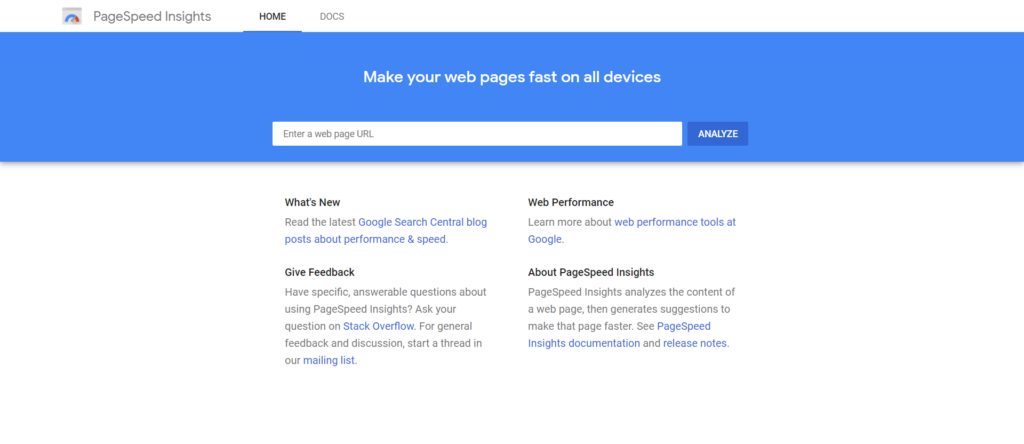
People are living in the era of instant gratification. Don’t you agree? It’s absolutely true. This applies to your website as well. As per analysis, even a couple of seconds delay while loading a website can decrease the conversions by upto 7%. Sounds like a horror story. If you want to increase your conversion, keep an eye on your site speed. Use Google PageSpeed Insights and know your site speed.

All you need to enter the website URL and hit the “Analyze” button. PageSpeed Insight will provide in-detailed data about field data, lab data, opportunities and more. Have a look at opportunities, consider their suggestions and improve your performance score. Site score is the most important factor in on page SEO to get a higher ranking on search engines.

20. Internal links

Is there anybody who is unaware of internal links? Nobody!!! An internal link is probably the link from one webpage on your site to another web page on your site. Readers and search engines use these internal links to find the information on the website.

It’s no surprise every content requires internal links to rank better on search engines. Because Google and other search engines find your website when you’ve enough links. Simply put, internal links help to connect your content with additional information. They can build a proper hierarchy structure on your website. These links allow you to give preference for important web pages or posts. So, you need to focus on implementing powerful internal linking strategies in your on-page SEO.

21. Add contextual links

A blog consists of thousands of articles. A good content writer will never forget to give internal links while writing on relevant topics. Consider, you’re writing a blog on “How to Make Money?”, you can give a link to “Money-Making Apps”. This is the best way to show your readers and search engines that your content is relevant.

Adding the contextual links is all your choice. You can add at the beginning or ending, but make sure the link is related.

22. Link hierarchical web pages

Do you have hierarchical web pages on your site? Yes!!! Start linking parent web pages to the child web pages. Also, link the sibling webpages as well. The hierarchy web pages will make a well-organized website.

23. Add navigational links

Linking the content to related pages is a good practice. If you want to make your content even more authoritative, start adding the navigation links. Don’t add too many navigational links, implement it on important pages on your website. Adding the navigation link to certain pages will show these pages are valuable. Also, Google will give more importance to these web pages.

24. Add an internal link to the top or recent posts

Adding the internal link to your popular or recent post is one of the effective strategies in the internal linking. You can create a top or recently added posts section in the footer or sidebar of your website. This way, the top posts and recent posts will appear on every single page of your website. When link value gets passed to the top and recent posts from every page of your website, they will get an excellent boost. On the other hand, readers can easily access popular and recent posts and generate more traffic.

25. Get high-quality backlinks

Getting high-quality backlinks is nothing by earning links from authoritative and high-quality websites. When popular websites link to your website, it will send a positive signal to the search engines. Also, indicate to the search engines that the linked website is useful and valuable.

If you’re planning to increase your visibility on SERP, you need to get more high-quality backlinks for your website.

26. Guest blogging

Guest blogging or guest posting is the practice to boost your on-page SEO. Bloggers can easily tap into an already trusted audience and connect with the audience from your industry. It’s an excellent technique to build loyalty, increase followers, generate traffic and get quality backlinks.

Small and large business entrepreneurs are using guest blogging techniques for the past few years for several reasons. One of the key reasons is to earn a quality backlink. If you’re planning to contribute a guest blog to the authoritative website, you need to consider several things

  • Set a goal
  • Find the relevant and authoritative website to contribute
  • Check guest blogging guidelines
  • Pitch an email with unique ideas
  • Submit quality guest blog
  • Never write already existing blog posts
  • Track guest blogging results

27. Outreach

Promote your content in every possible way. No matter how good your content is, you cannot earn backlink when people are unaware of your website. If you want to gain attention, you need to work harder to find interested people in your niche and link your content. You can also link or share your content on social media for better outreach. There are few influencer research tools available in the market, use them and find the interested people in your niche. Also, keep a close relationship with other bloggers in your niche, build relationships and get a chance to share your content on their websites or blogs. Things will get better when you maintain long-lasting relationships with popular bloggers from your niche.

28. Broken link building

A broken link building strategy might be less popular in on-page SEO. But if you want to drive better traffic and improve your ranking, you need to concentrate on every on-page SEO technique. The broken link building involves finding the broken links in your website or finding the 404 errors. Identify the broken links by using the tool called “Check My Links”. Also, you can check the broken links for other websites. When you find the issue or broken links, reach out to them and tell them about the error or problem. You can give instructions on how to fix the error. When the other website owner is happy with you, request a link to your website.

29. Add social sharing links

Is there anybody who doesn’t use social media accounts? Nobody. Adding social sharing links on your website can increase brand awareness and reach. Optimize your content for users, search and social media. This way, your content can easily be found.

Never add social media buttons on unnecessary pages because nobody will share it. Adding social buttons within the content will have a great impact. You can add the social button in the middle of the content and end with a proper CTA.

30. Set links to open a new web page

Millions of people might visit your website. When they click on a link, there might be a chance of leaving your website completely. Hence setting links to open in the new tab will remain your website open when the reader visits another website.

Start building backlinks to your site using the above-mentioned linking techniques. If you’re a newbie, the complete process may take time, but for sure it’s worth it in the long run. Because quality backlinks are the popular ranking factors.

31. Mobile responsiveness

It’s no surprise that mobile users are increasing every day. Many people use mobile phones to search for information, send emails or other purposes. Hence, it’s a primary goal for you to optimize your website for mobile users. Make sure your desktop and mobile version are similar. Pay attention to every single delta such as layout, pop-ups, images, links, font size and more. A mobile-friendly website can increase the visibility on Google and other search engines. More traffic means more conversions.

32. User engagement

Many digital marketing experts always focus on user engagement. But why? Highly engaged customers or users are likely to purchase the product or service.

When a user or customer doesn’t engage with your product or service, all your hard work is in vain. The ultimate goal of on page SEO is to make sure that your customers interact with your website and don’t bounce to another website. Also, stay connected with your website for long periods of time. The user engagement depends on the relevance and quality of your content. Pay attention to content optimization, link building, site speed and more. 

33. Provide excellent user experience (UX)

User experience is highly important. You need to provide excellent UX to make your users super happy. Because users often look for a seamless experience whenever they visit your website. There are several factors that are needed to be considered for providing a better user experience, 

  • Create short and easy to understand the content
  • Make sure all the internal and external are redirecting to the right place
  • Improve page loading speed
  • Focus on offering responsive web design

When the user is accessing your website on a mobile phone, it might look pleasing when you offer content, size and colour in the readable format. Also, make your buttons visible (not big or not small). When a user finds it difficult to navigate, then they may switch to another website. Consider these factors and provide an amazing user experience to increase traffic and generate better results.

34. Satisfy search intent

Satisfying the search intent should be your ultimate goal. There are four key categories for satisfying the search intent, let’s have a look

  • Informational
  • Transactional
  • Comparison 
  • Navigational

Informational includes tutorials, articles, guides, how-to-use, terms and conditions and more. Transactional include placing an order for an existing customer. The comparison includes comparing two products and weighing in the options. Navigation is nothing but finding a specific website or looking for a particular product or service.

Whenever you’re writing a blog, keep a closed eye on these search intent. Make sure your satisfying users with your content.

35. Optimize for voice searches

Right from the 3-year-old kid to 75-year-old people are performing voice search rather than typing their query on Google. As per analysis, 50% of conducted voice search. Yes, it’s absolutely true. Hence, you need to optimize your content for voice search as well.

Following are tips to optimize for voice search

Structured data is an excellent option to optimize for voice search. Just by enabling search enhancement, you can get visually appealing results on SERPs. Use Google My Business Listing and share your website or brand information. Make sure you design a mobile-friendly website to attract maximum mobile users.

36. Add comment section

Adding a review or comment section on your website can be helpful. This way, you can easily interact with the audience and understand whether your content is useful or not. Spend time interacting with your reader’s and increase trust and authority.

Wrapping up

You’ve reached the end. Ticking all the techniques in the on page SEO checklist will surely optimize the website or blog for 2021. With good on page SEO practice, you can easily encourage your users to visit your website. Make sure your website has an excellent user experience, faster page loading speed, attractive visuals, adding relevant links and more.

Lawsuit Loans: How They Work

If you have been injured in an accident, it can take time before you are able to go back to work or you may suffer a disability that will stop you from working altogether. Since personal injury suits take time to resolve, you might find yourself with no money. 

However, in cases where a plaintiff does not want to borrow from friends, family, or a second mortgage, a lawsuit settlement loan will come in handy. These loans are available to plaintiffs who are waiting on their award or settlement and can help pay for medical bills, food, house rent, mortgages, car loans, and more.

Litigation takes time, even if you have a strong case. It can take weeks, months, or years before you receive your award or settlement. These loans were invented for precisely such times. Here is what you need to know about lawsuit loans.

Who Qualifies for Lawsuit Loans?

These loans are attractive because not only will they give you the immediate cash that you need, but they will also give your attorney enough time to build your case and negotiate for the best settlement possible. 

However, not everybody can qualify for a lawsuit loan. This loan is available to plaintiffs who are dealing with the following:

  • Products liability suits: If you are injured when you are using a product, and either manufacturers or suppliers are held liable.
  • Personal injury lawsuits: If you sustained injuries from a physical assault or slip-and-fall
  • Workplace lawsuits: such as a worker’s compensation case.
  • Medical malpractice lawsuits: such as those where a provider operated on the wrong body part, prescribed medicine for an incorrect diagnosis, or caused you harm due to their gross negligence.
  • Car accident lawsuits: if there is proof of negligence
  • Wrongful death lawsuits: where a death could have been prevented if it weren’t for someone else’s negligence.

Lawsuit loan providers take very little into consideration to determine if you qualify for the loan. They bear the brunt of risk because the loan is non-recourse, and should your case fail, you will not owe them a dime.

The Application Process

Once you qualify to apply for the loan, the lending company will need some basic information about you and your attorney’s contact information so that they can get more details about your case. Because the lender entirely relies on your settlement to get their money back, they will want to ensure that your case has a high probability of success and that the stakes are high. The lender’s case manager will work directly with your attorney to understand your claim.

If you have a valid and robust case, the lender will approve the loan, and you should be able to get the money once the paperwork is done. Most lenders approve loans in less than 24 hours, which means that you can get cash within a week. 

Remember, lenders do not look at your credit score. Even if you have a bad credit score, you can still qualify for a lawsuit loan. To mitigate risks, case managers evaluate each case individually because there is no set standard for approval. You are likely to get approved for the funding regardless of the type of lawsuit as long as it is strong enough. However, these loans are not regulated, and lenders are free to set their terms and conditions.

To avoid paying high-interest rates, hidden fees, or dealing with unfavorable terms, shop around and compare interest rates. You should also ensure that you clearly understand the loan terms, interest rates, and other fees before signing the agreement. 

Contact a Lawsuit Loan Company for a Loan

Good lawsuit loan companies are transparent, fast, and have your best interests at heart. Their main aim is to give the plaintiff funding during litigation to help take care of their financial needs. If you need money as you wait on your settlement, you should get in touch with a lawsuit lender for quick financing.

Who Owns Ring?

Ding-dong! Ding-dong! The doorbell rings. What would you do? Check who’s at the door? Of course, that is what anyone would do. But, How do you check who is on the other side of the door? By running to the door and opening it? Or peeping through the peephole? Not a comfortable thing to run to the door every time someone knocks on your door, isn’t it? Well, the founder of the Ring company got the inspiration to build his first product, the Ring Video Doorbell in a more or less similar situation.

To get into the details of it, the founder, Jamie Siminoff, most of the time used to be in his garage working, and his wife used to be in the house. Being in the garage most of the day, Jamie couldn’t hear the doorbell and was also worried about the safety of his wife. This led to him inventing a video doorbell that works with WiFi and lets them look at the movement outside their door, without having to open the door first.

That’s where the foundation of Ring company was laid. From the year 2013, when it was founded, till today Ring has grown to be the best-selling doorbells in the United States. Today, Ring is the best smart home and home-security company around. It manufactures and sells a variety of products related to home security like outdoor motion-detecting cameras, Ring alarm, the video doorbell and also automotive security products like Ring Car Alarm, Car Cam.

Wondering how Ring became so popular? Well, one word- Security. Yes, even though security wasn’t the main concern of the invention of the Ring Doorbell, in today’s crazy world, the Ring products are being used majorly for safety and security purposes of their home and the community. The products can be managed through their app called Neighbors. The app can be used by the people of the community to share and discuss the security concerns of the locality.

Did you know that a lot of intruders and thieves were caught because of these products? Yes, the LAPD even said that the crime rate has come down since the Ring products came into the picture, as they were able to capture a lot of details like the time, date, packages, people, vehicles etc., 

If you don’t already know, here is how the Ring products work. The products use a simple principle, you need to connect them to the wifi and they will notify you whenever someone comes in the range of the camera and you can communicate with them with the two-way communication system that is incorporated in their products. Sounds great, doesn’t it?

Page Contents

Who owns Ring?

You now know, how many wonderful products the Ring has to offer for our comfort and also to secure you and your home. Aren’t you curious to know who owns the company that has contributed this much to our safety? Without further ado, let’s dive in and find out the answers to your questions.

The Ring back in 2013, when it originally was called the “Doorbot” made an appearance in the famous reality show, “Shark Tank”  and was rejected by the sharks of the investment Jamie sought for, even though Jamie offered a 10% stake of the company to the investors. Although he was rejected by the sharks, the show brought the needed popularity for the Doorbot and he was approached by Shaquille O’Neal, four-time NBA champion, who was willing to invest in the company. Fast forward to February of 2018, Ring was acquired by Amazon, the famous eCommerce company for a huge estimated amount of $1.2 billion to $1.8 billion.

Now the Ring products are everywhere and have become the trusted home security appliances for the majority of the households in the United States. The integration of these products with Amazon’s Alexa has made the products even more user-friendly.

Wrapping up

Hope this article has helped you find the answers you were looking for and has shed some light on the Ring products and their ownership. To read more such articles, visit the Postling website and find out more about the business models, investing, blogging, marketing and many more.

Who Owns Microsoft

Founded by Bill Gates and Paul Allen in the year 1975, Microsoft is an American multinational technology giant headquartered in Redmond, United States. Microsoft is one of the leading and largest multinational companies in the technology sector. Ever since its inception, the company has been growing rapidly by venturing into different sectors like gaming, computer hardware, consumer electronics, cloud computing, corporate venture capital, and its niche- software development.

In its early growth stage, Microsoft paved the way for the microcomputer revolution that sparked the widespread usage of personal computers at the individual and household level. Before the mid-1970s and ’80s, personal computers were never in the category of mass-market consumer goods.

After the development of microprocessors, the manufacturing cost of personal computers came down and eventually even common people started using them at the household level. 

Microsoft, with its historic launch- Windows software product, kicked off with a successful start and today it stands to be one of the leading multi-billion-dollar companies worldwide.

Microsoft’s majority shareholders are Satya Nadella, the CEO; Bradford L Smith, President of Microsoft, Jean P Courtois, Executive President and Vice President, Microsoft Global Sales; Vanguard., an American Investment management company, BlackRock, an American multinational investment management company; and State Street Corp, an American financial services and bank holding organization. 

 Of them, Satya Nadella, Bradford L Smith, and Jean P Courtois are individual insider shareholders who own more than 10% stake in the company. On the other hand, Vanguard Group Inc., BlackRock Inc., State Street Corporation, are institutional investors who own 70.7% of Microsoft’s shares

Top Shareholders of Microsoft

Satya Nadella

Satya Nadella is the Chief Executive Officer of Microsoft. He played a key role in shaping the implementation of consumer business and Cloud. Before being nominated for the CEO profile, Satya Nadella played served as the executive vice president for the Microsoft enterprise and cloud technology. He is known for his remarkable work in transforming the cloud business model and services. Currently, he has 13,37,768 shares of Microsoft.

Bradford L Smith

Bradford L Smith is the Chief legal officer and President of Microsoft. Bradford handles and oversees company’s public initiatives and legal matters. He is known to effectively handle the antitrust controversies around the world. He currently owns 0.01% of Microsoft shares. 

Jean P Courtois

Jean P Courtois is serving as the Executive Vice President of Microsoft Global Sales and Operations. He currently owns 600512 shares of Microsoft. He is known to held senior management positions and leadership positions in the past. He played a key role in handling the key projects of Microsoft with great efficiency. 

How does Microsoft Make Money?

Microsoft’s revenue is majorly generated through software development, support and licence services, cloud-based integrations and services, devices, gaming, and social media platform. This tech giant’s consumer bracket ranges from Original Equipment Manufacturers (OEMs) to individual customers (including social media users).

The products or services include devices like Microsoft PC accessories, Lumia phones; gaming accessories and software like Xbox hardware, Xbox Live. Through Xbox live, they offer third-party video game royalties and charges revenue generated from transaction fee, subscription, and advertising costs. Along with these Microsoft has a dedicated Office consumer applications arm which offers Microsoft Office applications like MS Office, Office 365, Skype, One drive, Outlook.com.

The professional networking platform- LinkedIn is also one of the key revenue drivers for this company. Of all, LinkedIn is currently one of the most-used professional social media platforms for networking and career development.

Their premium feature- LinkedIn Premium has been an effective tool for mid-level and beginner corporate employees to enhance their skills and upgrade their careers. Their recent additions like story, poll to the platform made the communication more interactive and transparent. 

Wrapping Up

Now that you have an idea about what Microsoft is all about and who owns it, check out their business model here for more information. If you want to know more about businesses and their owners, refer to the Postling website. 

SEO Checklist – Complete 50 Point SEO Checklist

SEO – Search engine optimization

You might have heard the term a thousand times that SEO is an important digital marketing tool. Because SEO makes your website or blog visible and generates more traffic. Beyond that, SEO is a valuable tool to improve brand awareness, build a long-lasting relationship with potential customers. These are a few reasons why every business needs SEO to get their brand at the top level.

Tired of finding the exact SEO checklist? Yes!!! The article is just for you. For sure you’ll feel happy with this post. Because our expert has researched and presented a checklist for you. Every process in the checklist is direct and straightforward. Give a look and generate better traffic and conversions to your website or blog within no time. 

The comprehensive SEO checklist for 2021 is here. Let’s dive into the topic. Have a look and get a complete understanding of SEO basics, on-page optimisation, off-page optimization, technical SEO, keyword research and more.

Page Contents

SEO Checklist – Complete 50 Point SEO Checklist for 2021

SEO Basic Checklist

1. Understand SEO Concept

Let’s get started with the definition of SEO.

What is SEO?

Search engine optimization is the step-by-step process of improving a website or blog to increase the visibility for related searches. In simple terms, SEO is the process of optimizing your website for search engines. The SEO practices will improve the quantity and quality of traffic and conversions from organic search results.

Set a clear goal. The ultimate goal is to create a better website or blog in terms of visibility, usability and keep the search engines (Google, Bing, etc) and prospects happy.

SEO works in a simple way. They’re governed by a set of algorithms that use a set of parameters before decision-making, whether to display your website on top results on search engines or not.

SEO has categorized into three types

  • Technical SEO
  • On-page SEO and
  • Off-page SEO

2. Google Search Console

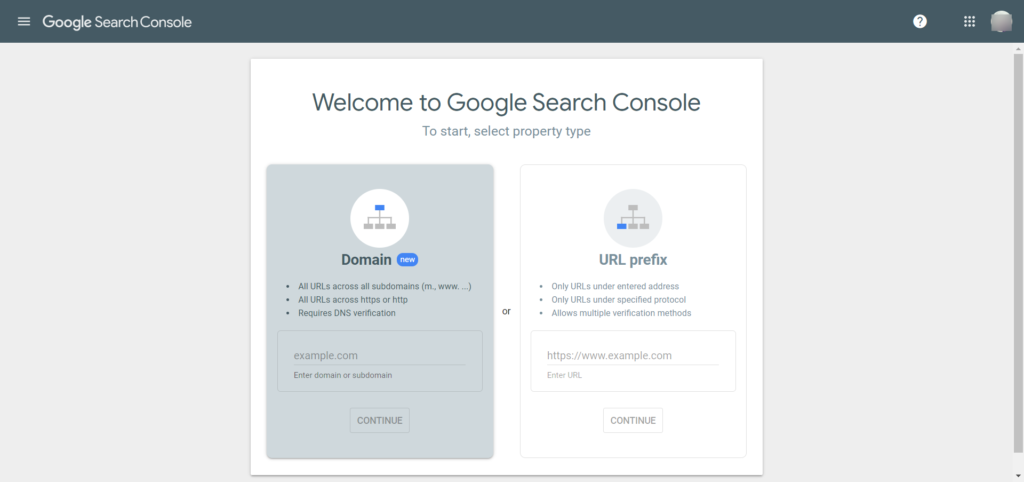
Add and verify the website or blog with the Google search console. You don’t need to pay a single penny for the service. It is a free service powered by Google. It allows digital marketers and webmasters to access a set of tools, reports and others for optimizing website or blog on Google search.

Google search console plays a vital role in optimizing the website. Get registered to GSC and measure your website traffic and performance. With the reports, you can fix the issues and errors to make your website shine in SERP results.

3. Bing Webmaster

Although Bing is not as powerful as Google, it is the second most popular search engine. Simply put, it is the most-used and worth considering.

It time to add and verify your website or blog on the Bing webmaster tool. This is another excellent tool that allows you to explore a website or blog, manage short and long-tail keywords, analyse backlinks and more. The tool will help your website and blog to reach top results quickly.

Create an account at Bing Webmaster Tool and get instant access to tools, reports and resources at zero cost. Get more users to your website or blog with Bing webmaster.

4. Setup Google Analytics

If you’re looking for the best web analytics tool, it is worth considering Google Analytics in the SEO checklist. This tool allows you to analyze website traffic. More than 500 million users around the globe are using Google Analytics to improve their website. The attractive features of Google Analytics are reporting, data analysis, visualization, integration and more.

Monitoring SEO performance is easier with the Google Analytics tool. This Google service is available for free. It’s time to set up and install the Google Analytics coding on your website or blog. The tool allows you to measure the advertising review and track your social channels, applications, etc.

5. Check for Google penalties

As the name suggests Google Penalty is considered as the negative impact or effect inflicted on SERP rankings. There are several reasons such as implementing black-hat SEO, keyword stuffing, untrusted links and more. The penalties can be manual and algorithmic. These will punish your website ranking.

The primary SEO checklist is you need to stay away from the Google penalty. There are a few popular tools available to check whether your website is affected by Google penalty or not. It includes SEMrush, Mozcasg, Penguin and more. If your website punished by Google, you need to struggle harder to recover.

Technical SEO Checklist

Technical SEO is important. But why? Well, technical SEO allows search engines to rank higher. Creating a powerful technical is probably important to know the value of your website. This will take your website a long way.

Technical SEO is the important process that ensures your website or blog satisfies the technical needs of search engines with the ultimate goal of better ranking.

The key elements are

  • Crawling
  • Indexing
  • Rendering
  • Website architecture

Focusing on improving the technical aspects of your website will improve your ranking on popular search engines such as Google, Bing, Yahoo and more. If you want to make your website stronger, easy to crawl by search engines, investing in technical optimization is the best choice for you.

With technical SEO, you’re helping search engines easily find and access your website. Also, search engines can easily crawl and index the website or blog without any errors or problems.

6. Check permalink structure

A permalink is nothing but the address of your webpage. Every webpage on the internet has a unique webpage link, these are called URL (Uniform Resource Locator). The URL is expected to be the same for a lifetime. It is important to create an SEO friendly URL. Yes, you’ve heard it right. 

  • Permalink is short and descriptive.
  • Don’t include unnecessary information in the URL.
  • Include at least one SEO keyword in the permalink.
  • Use “-” to separate the words in the permalink.
  • Never use the stop words such as “the”, “and”, “on” and more.

7. SSL certificates

SSL stands for “Secure Socket Layer”. Installing an SSL certificate help to protect sensitive data across the network. It’s is no surprise SSL is important to protect your website or blog from hackers and intruders. SSL layers will provide security, safety and data integrity for the website and as well as user’s sensitive information.

Purpose of SSL

  • Encrypts sensitive information
  • Provides authentication
  • Ensure trust

Permalink should have “HTTPS” at the beginning. HTTPS refers to security and safety, the data transmitted from the browser and server is encrypted. If you’ve not yet installed SSL certificates, this is probably a priority task to be done on your SEO checklist.

8. Website should be crawlable

Do you have the quality and great content on your website? Unable to crawl? Yes!!! You’re probably wasting your time. It is important to make your website crawlable by search engines. How can you check? Just by viewing the “robots.txt” file, you can check whether the website is crawled or not. Spend time and check the file carefully, the file provides instructions and guidelines to search engines such as Google and Bing to which webpages they can easily crawl or index. With misconfiguration in the file can cause mistakes, errors of your web page from SERP results. Also, with Google bots, you can check whether the website or crawled or not. 

9. Check your website is indexable

Now you’ve understood how to crawl your website, check whether your webpages are being indexed or not.  There are few tools available online. All you need to enter the URL and hit on “view index status”. The tool will provide information within few seconds, allows a user to check the status of more than 10 web pages at the same time.

10. Review your sitemap

Never ever underestimate the power of sitemap when it comes to search engine optimization. The sitemap is the map of the website to search engine crawlers (Google, Bing, Yahoo, etc). The sitemap helps search engines to find, access and rank web pages.

Effective sitemap key elements are as follows

  • Make sure the sitemap is in a proper format
  • The XML document needs to follow the “XML” sitemap protocol.
  • Always include canonical versions of the links.
  • Never ever include no-index links.
  • Include the new web pages when you create, modify or update them.

Keep a note, your sitemap must consist of important web pages. Never include unnecessary web pages and don’t waste search engines time. Structure your sitemap correctly and submit it to Google Search Console.

11. Optimize your site structure

Want to become a professional SEO? Never forget about optimizing the site structure.

If you want to be a true SEO expert, while auditing your website, you should not forget about optimizing your site structure.

The site structure is truly important for usability and search engine optimization. It means your website must be user-friendly, responsive, easy to navigate and more to attract customers, improve conversions and more. Optimizing your site structure allows search engines to understand the webpage content better. When you have a good site structure, it will increase the chances of getting snippet in search results. A good site structure will have less bounce rate.

12. Mobile-friendly website

Google always give first priority to mobile-friendly websites. Mobile-first indexing should be a top priority on the SEO checklist. It means instead of the desktop version, Google will rank and index the mobile version of the webpage. As per analysis, more than 52% of traffic is generated via mobile devices. Hence, offering mobile-friendly websites is important.

Good news!!! There is a tool Mobile-Friendly Test powered by Google. Users can check whether your web page is mobile responsive and user-friendly. The tool is available for free. Also, you need to check manually, visit your website on the mobile phone and spot the errors on your website. Check every webpage, mobile numbers, service pages and etc.

13. Audit page speed

Page speed is one of the important ranking factors. It is important to have a website that is user-friendly and responsive to rank better on search engines. Page speed is primary to user-expereince. Web pages that take a longer time to load will have more bounce rate. This will have a negative impact on conversion. Make sure your web page load within less than 2 seconds.

Use Google PageSpeed Insights to check the page speed. Also, the tool will provide recommendation and suggestion for improving your webpage speed. Google is offering another tool to check the speed of your webpage i.e “Test My Site“. This tool also provides complete information and an in-depth analysis of webpage speed.

14. Review duplicate content

Duplicate content is the information that is available on the internet in multiple places. Look at the duplicate content on your website. Say big-no to duplicate content. Google doesn’t prefer multiple copies of similar information. Though there is no penalty for duplicate content, one should not encourage it. But Google rewards unique and quality content. Search engines demote duplicate content on the SERP rankings. Never expect to rank your website higher with the content that is found on other sites. Remove the duplicate content on every webpage.

  • Add the quality and unique content on every webpage
  • Never spin text on the webpage
  • Minimize similar information on the website
  • Don’t block search engines to crawl the duplicate content
  • Use tools such as Google Search Console to check the duplicate content on your website

15. WordPress visibility settings

Check your WordPress visibility setting every time. It is important to the one who is using WordPress as their content management system. Never every bock search engines such as Google, Bing and Yahoo from accessing the content on your website.

  • Open WordPress
  • Click on Search Engine Visibility Setting
  • Select Reading
  • Choose full text
  • Select on “Save Changes”

16. Comment links should be “Nofollow”

It’s time to check the comment setting. Make all the comment links to “Nofollow”. There might be hundreds of people commenting on your post. Few people add their links in the comment section. Hence it is important to turn on the no-follow attribute.

Comments are really good for search engine optimization and never disable the comment section on your website. Let the people comment on your post and enable no-follow to avoid Google penalty. Simply put, all the outgoing links should be no-follow.

17. Don’t forget to add structured data markup data to the homepage

Did you know that homepage is the heart of your website? Yes!!! It’s important to make an attractive and interactive homepage. On the other hand, you need to focus on adding the structured data makeup data to the homepage.

Digital marketers are investing their time and efforts in schemas and structured data to improve their SEO practices. In fact, structured data and schemas are important in 2021. Because these two attributes help to enhance website appearance in SERP results. This plays an important role in local and voice SEO. There are many SEO professional who forget to add structured data on the homepage. Don’t make such mistakes. Add the structured data to your homepage.

18. Test the structured data markup 

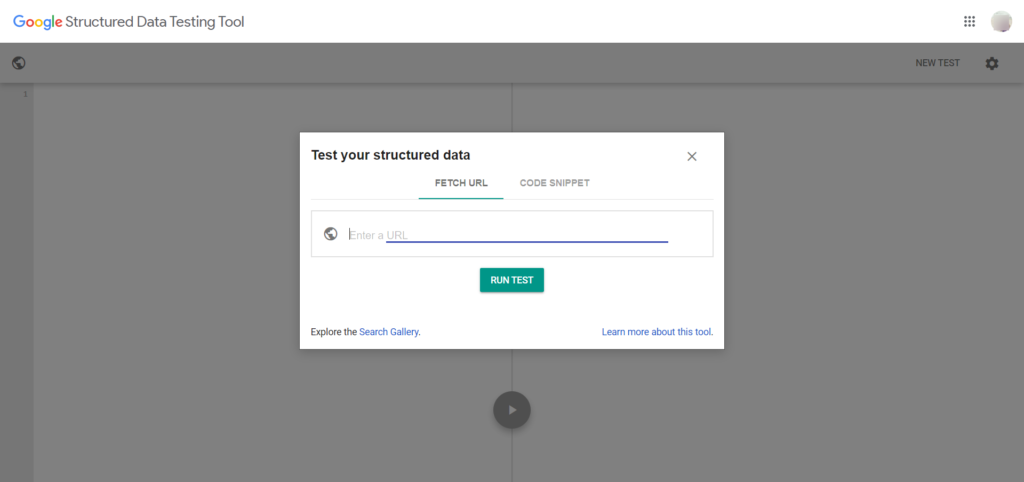
This can be a hidden truth, schema definition can change according to time. It’s always a wise option to test the structured data markup. Use Google structured data testing tool and add homepage links and other web page links. This way, you can keep an eye on the schema and structured data makeup information up-to-data and check whenever it is important.

19. Enable breadcrumb menu

A breadcrumb is also called a breadcrumb trail. Nowadays, you can find breadcrumbs on every website. These are situated at the top of the website or below the navigation bar. It is a small menu, this can be used as a navigational aid. The breadcrumb shows the detailed path to and goes from the existing webpage to the website homepage. This helps users to track “where they’re on the website” and “how far they are from the menu bar”. These are probably the most important thing to improve the user experience and are good for SEO as well. Finally, Google and other search engines look for breadcrumbs on every website, it is recommended to use them for better ranking on search engines.

20. Schema implementation for breadcrumbs should be correct

As mentioned above, breadcrumbs are used to enhance user experience and snippet in search results on mobile. Check whether the schema for breadcrumbs is implemented in the right way. Many experts use the Yoast SEO plugin, the breadcrumbs are automatically implemented in the code correctly.

21. All the webpage must define a canonical URL

As the website becomes bigger, it’s pretty hard to prevent web pages from becoming duplicates. Duplicate content can cause issues. A canonical URL is the perfect technical solution for similar or duplicate content.

Canonicalization is the modern and advanced SEO concept. This is extremely important to include in this 50 point SEO checklist. Simply put, canonical links or URLs help to get rid of duplicate content problems. It will protect your content when other sites use your content. It is the best method to specify that your domain is preferable by search engines.

22. Use “hreflang” for an alternative version of the website

If you’re offering products or services across the globe, you need to implement hreflang for multiple versions of your website. It means users can access and translate from one language to another language. This is the best way to notify Google about your different or localized versions of your web pages. Be careful while implementing, because this can cause problems while indexing the web pages. Google and other search engines get confused when similar web pages are available in different languages. With the hreflang attribute, you can stay away from such issues.

23. Optimize 404 web page

Do you think 404 web pages hurt SEO? Many SEO experts believe 404 web pages ruin ranking on the search engines. It’s important to fix it as soon as possible. This is not the truth, 404 web pages are probably normal web pages for any websites that are useful.

A 404 error or 404 web page is the standardized “HTTP” status code. When a user lands on a 404 web page, it means the page doesn’t exist. Users might have mistyped the URL or the web page got deleted from the website or no longer available. This way Google and other search engines will have a clear picture of non-existing pages and stop indexing them. 

If you’re planning to offer a better user experience then you must ensure that 404 errors or 404 pages are well-optimized and have a meaning. Also, the page needs to have alternative options to redirect the users. Redirecting users to the homepage can be a better way to gain trust.

24. Improve your page loading speed

Increasing the page speed is another important part of technical SEO. It’s important to check the page loading speed all the time to improve the ranking of your website. Page loading speed is an important factor for Google and user experience. So, it is suggested to improve your page loading speed.

Ways to improve your page speed

  • Reduce the size of the file (JavaScripts, HTML, CSS, etc) using file compression tools.
  • Reduce page redirects
  • Improve your server response time
  • Make use of CDNs (content distribution network)
  • Optimize images

25. Optimize website logo

A logo is a graphic design that identifies a website or company. It helps users and customers understand who you’re and what you’re offering. A good logo can improve your brand value.

A point to be noted, your logo must be an image but not plain text. Search engines will show your logo in the SERP results. Optimizing your logo is another important thing in the SEO checklist. Always give a proper name to your logo. Add an alternative text i.e “ALT tag” with your brand logo. Keep the alt text simple. 

On-page SEO checklist

On-page search engine optimization is the process of optimizing the web pages to rank better, generate organic traffic in Google and other search engines. The practice is simple, SEO specialist needs to optimize the content on all the web pages and HTML source code. Simply put, on-page optimization refers to optimizing title, headlines, meta title, meta description, images and more. Also, on-page optimization ensures that your website is trustworthy and authoritative.

Let’s have a look at the on-page SEO checklist

26. Use target keywords in the first 100 to 150 words

The tactics may sound like old school. But, it matters a lot. You need to use the primary keywords at least twice in the first 100 to 150 words of the paragraph. Because search engines put weight when you show up the keywords early stage. Use the keywords in a natural way, this will make sense. Also, search engines understand what your web page is all about.

27. Optimize page titles

It’s no surprise that optimizing the page title is another important factor to consider in the SEO checklist. The title tag is displayed on SERP results, these are often clickable. Users can click on the headline and redirect to the respective page. So you need to make sure that the page titles of every web page should be accurate, clear and concise.

There are two good reasons to optimize your page titles i.e search engines (Google, Bing, etc), usability and social sharing.

Follow the below practices while writing your page titles

  • Don’t write long titles. The length of the title should be less than 60 characters.
  • Never stuff too many keywords in the title.
  • Make sure every web page has a unique and attractive title.
  • Page title must describe the content on the web page.
  • Page title must be informative.
  • Write the title for your customers.

28. Optimize meta descriptions

A meta description is a powerful HTML element. Meta description attribute is used to describe the content on the web page. The text  The meta description is displayed on the search engine. It’s important to keep an eye on meta description to keep your ranking high on search engines. It’s an amazing opportunity for all digital marketers to advertise their products or services to the users. Simply put, the meta description is the mini ad for the individual web page.

Descriptive meta descriptions often look better and attractive in the search results. Write a clear description to increase CTR. Also, optimizing meta descriptions help to improve the CTR, generate better traffic, improve ranking and more. 

How to optimize meta description?

  • Create meta description for all the web pages.
  • Never create duplicate meta descriptions
  • All the meta descriptions should be clear and unique.
  • The meta description length must be between 135 – 160 characters.
  • Include at least two target keywords.
  • Avoid using quotation marks and double spaces.
  • Include a CTA button

29. Create a perfect H1 tag

H1 is one of the most-used HTML tags. This tag is used to indicate the heading on your website. Many platforms such as WordPress set H1 as the default title tag for the blog post. If not, you need to check whether the blog title is wrapped in the H1 tag. You’re all set. Later include a subheading in the H2 tag. Structure the content on the website in the proper way to help users and search engines. Use heading according to the requirements, the heading may range from H1 to H6.

30. Push the content above the fold

First impression matter!!! 

Above the fold is the top-most portion of the website. Users can view the content without clicking or scrolling. When a user visits the website, they often look for the answer fast and quickly. They don’t want to waste their time. Hence you should not waste users time by viewing massive visuals above the fold. Avoiding unnecessary content should be your first priority. Keep the things clear and straightforward, write a simple headline and clear introduction front-and-centre. 

31. Unique content

Content is king. If you want to generate better organic traffic, it’s important to concentrate on unique pieces of content. Also, say a big no to duplicate content. The content should bring value to your brand. Creating and publishing valuable content can be a good starting point. Make sure the content is noticed and stand out from the competition.

Ways to create SEO content

  • Create and post the content for your audience.
  • Add images, videos, screenshots and other visual representation to make it simple for the users and put them into practice.
  • Structure your post in the perfect way.
  • Invest your time in doing research.
  • Attaching material such as steps and how-to-use can go a long way. 
  • Focus on readability.

32. Video content

Did you know more than 97% of digital marketer says video help users for better understanding? Yes!!! People enjoy watching videos. When you craft your video carefully, it is the best way to build a personal connection. Promoting products or services through video marketing is the best way. Make the video interesting with amazing images, spunky tone and more. Adding a video on your website, social media and other platforms help to attract a larger audience.

Keep a note, the video doesn’t boost your backlink profile, but it satisfies your customer intent. Because few people only prefer to watch videos rather than reading 1000 words articles or text. There are multiple video types such as live video, informative video and more. Choose the video type according to your requirements. Spend quality time while creating your video. Create an excellent video and attract more numbers of audience in no time.

33. Create scannable content

The truth is user’s don’t read 1000 word articles, they just scan the content. There are rare people who read the content from start to end.

Let’s keep things simple, you have got a small window to attract the user’s attention and motivate them by sticking to your website.

If you want to attract users then you need to switch your coin by creating scannable content. It is said that users and search engines prefer scannable content. The content is easy to read and understand. Spend a few hours and go through the content on your web pages. Structure your content and format them to easily scan and review.

  • Keep the things short and sweet.
  • Segment your content. Break the content down into sections.
  • Later use subheadings with descriptive content.
  • Use the bullet points, numbered list for easy understanding.
  • Highlight the important content with the bold format.

34. Content audit

If you’re a content creator, you probably concentrate on curating quality content. But you might often forget about auditing the existing content. This could lead to serious problems.

Auditing your content on the existing content is important. There are many advantages to auditing the content.

  • Evaluating the existing content. Check whether your existing content is achieving your business goals and generating revenue.
  • Check whether your content is up-to-date. Identify the outdated content and create fresh content.
  • Define which type of content really works for you.

Keeping it simple, the content audits bring fruitful results when you do it in the right way on a daily basis. 

35. Image optimization

“A picture is worth 1000 words”, this is absolutely true. People often interact more with images or other visuals than plain text. The importance of visual content has been increasing over the past few years. Adding visuals is an excellent way to make your website attractive and appealing.

Wait a moment!!! All the images are different, few images take a couple of seconds to load and few images can take a longer time to load. Simply put, images can increase the page loading time. Hence you need to optimize your images to load the images faster.

Advantages of optimizing the images

  • Increase the ranking opportunities on search engines
  • Images are displayed on “Google Image Search”
  • Excellent user experience
  • Boost conversion rate
  • Better page loading time
  • Enhance user engagement

36. Add structured data markup

One of the excellent and latest evolutions of search engine optimization – Schema Markup. Once you add structured data markup, you can easily boost ranking and conversions. Improve your SEO by adding the structured data markup.

The key advantage of adding structured data markup is to make your website more appealing and enticing on SERP results. The structured data is an additional code that helps Google and other search engines recognize the individual categories of the copy within the content. Here the extra code can improve conversions.

37. Set external links to “open a new tab”

Most people don’t pay attention to external links. When the link is redirecting to the right page, they assume everything is going well. But the excellent user-expereince need to go beyond that. There are few links i.e outbound or external links that should open in new open.

Setting outbound links to open a new tab is important for a better user experience. Whenever a customer or user clicks on the link, a new tab will be opened. It means the user doesn’t leave your website completely. Remember to set every outbound and external link to open in a new tab, your website will remain open and user can visit your site again.

38. On-page SEO tools

On-page search engine optimization can be difficult because it can influence the way search engines such as Google, Yahoo, Bing, etc. The ultimate goal is to make sure that the content is completely optimized for selected keywords. This way search engines can rank your website higher. The important part is choosing the target and competitive keywords. There are few tools available online used for keyword research and other SEO needs. The popular on-page SEO tools are SEOCrawler, Ahrefs, Copyscape and more. 

On-page SEO is most important to consider when you want to improve your ranking on search engines. Optimizing the above-mentioned on-site ranking factors on a daily basis help to increase your traffic, conversion and more.

Off-page SEO

Off-page SEO is a powerful part of the SEO checklist. If you’re planning to rank higher on search engines, increase visibility and improve organic traffic in 2021, you should look outside the box i.e you need to look beyond your website.

Off-page search engine optimization is a techniques and measures that don’t happen on the website directly. Let’s keep the things simple, on-page SEO is all about optimizing your own website, it means creating unique content, optimizing the images, adding structured data markup and more.

Now let’s have a look at off-page SEO. It’s all about link building, local SEO, social media, press release, guest posting and more. In other words, off-page SEO helps to generate better traffic and boost conversions.

Off-page SEO can be scary when you don’t know the off-page SEO checklist. No more worries!!! Continue reading and get a clear picture of the off-page SEO checklist.

39. Link building

Link building is an excellent marketing technique used by experts across the globe. It is the process of acquiring authoritative sites to link back to your own site. SEO professionals should pay more attention to building quality links to drive referral traffic.

The concept of link building plays a vital role in SEO. Link building is crucial because it’s one of primary Google’s ranking factors. Webmasters can rank higher by increasing the quality and authoritative links to their web pages. 

40. Evaluate backlink profile

Hope you’ve understood the importance of link building. Now it’s time to check and evaluate the backlink profile of your website. There are popular tools available in the market to evaluate backlink profiles such as Moz, Ahref, Google Search Console and more. Before you start with off-page SEO, you need to have a clear picture of the backlink profile. Whether you’re planning to use Moz or Ahrefs, these tools offer you complete information about backlinks.

  • Total no. of links to your website
  • Number of domains that are linking to the website
  • Anchor text
  • Total no. of pages with maximum links
  • Domain authority score

For your convenience, you can export the information to Google Sheet. The information is useful for future purposes.

41. Competitors backlink analysis

Keep your enemies closer!!! This actually works in the digital marketing world. Competitive analysis is a great opportunity to discover relevant and valuable links.

Have a look at competitors in your niche. They might have following better SEO strategies or techniques than you. Checking your competitor backlinks can be a great idea. You get a chance to get competitor backlinks. It’s recommended to get started with top competitors since they have thousands of backlinks.

Spy out competitor’s backlink and get more relevant backlinks to your website. For instance, if you analyze the top 20 competitors, you can find thousands of backlinks. Use a backlink analysis tool such as Ahrefs to check competitor’s backlink. Enter the domain name and click on “check backlinks”. The tool will provide amazing insights such as referring to pages, domain rating, traffic, linked domains and more. Find trustworthy links and earn a backlink to your website.

42. Improve internal linking

It’s time to set your off-page search engine optimization technique by improving internal linking. Make sure all the web pages have at least three links. Use the Screaming Frog tool to know which web pages require links. Have a look and give the links with optimized anchor text.

Ways to improve internal linking

  • Aim for each individual web page to have at least 3 to 4 internal links to it.
  • Don’t forget to add anchor text while linking.
  • Use relevant and optimized anchor text every time during internal linking.
  • For a better user experience, add a footer on your website with appropriate internal links. It includes products, services, customer support and more.

Screaming Frog works perfectly for small websites. With the tool, you can crawl more than 500 URLs. For best results, you can make the internal links authoritative, relevant and valuable to your users. This way users can click on the internal link and get valuable information.

43. Social networking

People spend long hours browsing social channels such as Facebook, Twitter, Instagram and more. An excellent off-page SEO technique is to leverage your social channels to improve user engagement and reach. Whenever a user clicks your posts on social media from multiple IP addresses around the globe, search engines consider your brand as trusted and authoritative. Always focus on creating curated content on social media platforms, this way your content can get shared by a wider audience.

44. Frequently Asked Questions

How can you build authority in a simple way? The answer is here – Frequently Asked Questions. Offering the right content for the right people is the easiest method to build authority. There are few platforms such as Quora, Yahoo Answers and more. These websites can drive large amounts of targeted traffic. Also, it increases your ranking on search engines. Because search engines value that you’re truly focused on helping users with the required information.

Search engines and users always live Question and Answers. Having a “Question & Answers” or “Frequently Asked Questions” on your website is an excellent way to show your customers that you really care about them. FAQs can drive large amounts of traffic and increase trust in your website.

Reasons to write SEO-friendly FAQs

  • Increases potential customers
  • Improve trust
  • Help customers support inquiries
  • Improve rankings on search engine

Write relevant FAQs

This is important!!! Before creating frequently asked questions on our website, it’s important to write relevant and useful FAQ’s to educate your customers about the products and services. Proper planning and strategic work need to be involved in collecting questions and writing the right answers to multiple customers simultaneously.

Implement schema or structured data

As mentioned earlier, structured data is a good way to improve organic traffic. By adding schema or structured data to the frequently asked question webpage is an excellent way to look more appealing on search results. This way, your website can have better CTR and more. 

Think visually

Visuals such as screenshots or graphics are an amazing way to explain complex concepts. Also, visuals can grab attention, increase user engagement and make the learning journey easier. Don’t limit yourself by offering FAQ’s to plain text, use graphics, videos and other visuals to the FAQ web page and make it simple for your customers to get clear answers for their queries or questions.

45. Newsletters

Newsletters play a vital role in “Branding”. Whether you’re running a small or large business, a newsletter help potential customers and clients up-to-date with the latest developments in your organization. In general, the newsletter contains important topics of recipient interest.

Make sure your newsletter must feel like a valuable or helpful friend rather than sound like a pushy salesperson. It’s an open fact that newsletters are used to stay connected with customers and prospects. On the other hand, these are used for customer purchase decisions or checking your new product or new blog post. 

Importance of newsletter

Newsletters are highly effective to increase brand awareness. It is an excellent way to communicate with customers and clients, generate leads and more. Newsletters are a cost-effective way to interact with customers.

Never ever send the newsletter without proper planning. Keep the email short and clear, make sure you’ve covered all the information. Don’t send irrelevant information to the prospects. Send interesting newsletter for customers that are easy to digest. Don’t send too many newsletters. Sending a newsletter every day can annoy your customers and there might be a chance of losing them.

46. Guest blogging

Guest blogging is commonly known as “Guest Posting”. It’s the technique of contributing a blog post or article to another relevant blog to increase exposure, links and authority. Links are one of the popular ranking factors, guest blogging is the best way to earn links from relevant websites.

Do you think guest posting is good for off-page SEO? The answer is YES. There are limitless benefits for any brands. Just by sharing your knowledge or expertise on relevant sites, you can build authority within your niche, build positive relationships with other leaders, increase brand exposure, attract new audiences, boost conversions, improve writing skills and more. 

How to write a guest blog?

Contribute to related and top websites

If you’re contributing guest blogs for a while, but unable to drive enough traffic then you need to re-evaluate the sites that you’re contributing for. Choose relevant and trusted sites in the market. For example, if you’re running a fashion blog, search for any fashion website online. Don’t waste your time on contributing blogs on marketing sites.

Reach out to popular and credible websites

Don’t just relax and wait for popular brands to contact you about contributing a guest blog for their sites. Unless you’re a professional content writer and running a reputed brand, credible websites may reach you. But the chances are less. Therefore you need to contact the websites on your own. Do research before sending an email.

Pitch an excellent email

There are few bloggers who might spend more time writing an excellent blog post. But spend a couple of minutes to send the pitch. Pitching an excellent email is important to get a positive response from the editor. Give a powerful introduction, mention why you’ve chosen their site, be kind, share your samples and write at least 2 or 3 blog titles.

Contribute a unique blog post

Writing a successful blog is truly important. As a guest blogger, you need to focus on “Quality”, not “Quantity”. Contributing quality and valuable guest blogging has long-term benefits. Spend time on research while contributing a guest post. Keep an eye on their terms and guidelines. Follow the terms and guidelines while creating the guest blog. While writing the guest blog, don’t forget to add links whenever possible.

47. Reviews on Google, Yelp, etc

Online reviews are important for any brand. From laptop to health service, customers check the reviews before purchasing or visiting the business. As per analysis. 94% of customers avoid purchasing by reading negative reviews. If you want to increase sales and build trust, you must have positive reviews on Google, Yelp and other platforms.

Reviews can create inbound links for your brand. Never underestimate the power of review websites, this is especially important in an off-page SEO checklist.

  • Pay attention to online reviews. Know what customers are talking about your brand products or services on top review websites.
  • Hire a customer support specialist responsible for handling negative reviews.
  • Encourage people who have responded positively to your brand.

When you get a negative online review, you need to deal with it carefully. Be real and accept the mistake, take it personally and respond promptly. Also, highlight your brand strengths and maintain consistency.

48. Paid advertisement

Paid ads are important to any business. If you’re not satisfied with the organic traffic, paid ads are here to help you. Small and large businesses are increasing their traffic and conversions through paid advertising. Paid advertisement is a great way to expand brand reach, increase clicks, improve traffic and more. It’s worth investing your time and money in paid advertising. Paid advertising includes paid partnership, PPC campaigns, etc. Here PPC involves Facebook ads, Google AdWords, Twitter ads and more.

Paid ads are not just only option for selling your products or services, but there are several benefits of paid ads let’s have a look

An excellent way for promotion

Generally, companies often approach online advertisement to promote their products or services. Paid ads are worth promoting high-value information you create such as e-books, whitepapers and more. Paid marketing can give an extra boost to your brand.

Get instant results

SEO is a powerful marketing strategy but the truth is – it’s really slow. Digital marketers need to wait for months or years to get a better ranking on the search engines. PPC is an excellent way to make your brand visible in front of the right audience. Paid ads help to drive fast results.

Pay only for clicks

PPC stands for pay per click, it is the key pricing model used by several paid platforms. Brands don’t need to waste their money every time whenever their ads are shown up. It means you need to pay whenever a user clicks the ad.

There are four types of online paid ads such as

  • Social paid ads
  • Search ads
  • Display ads
  • Native ads

Choose the advertisement category according to your interest and requirements.

49. Directory submissions

Do you use directory submission for search engine optimization? Yes!!! You’re doing a great job. Directory submission is the practice of submitting the website link or URL, details and other important information on the web under a specific category. This is an excellent way to improve link building.

Directory submission is one of the popular off-page ranking factors. The technique helps to optimize the webpage. Here you’re submitting the URL in the related directories. There are several categories – health, electronic, travel, beauty, fashion, business, finance and more. Let’s consider, if you’re running an electronic, then you need to submit your website URL under the Electronic category. This is an excellent and interesting way to earn backlinks.

50. Use social aggregators

Good news for small and large brands!!! Social media aggregators can be one of the best Off-page SEO on this checklist. There are several social media aggregator platforms available in the market. The popular platforms are Reddit, Hacker News, Bizsuger and more. Share your website link, projects, FAQs, tutorials and other work with like-minded experts. Don’t just blindly share the work, make sure you’re professional while providing information to interest the audience to find your brand.

Wrapping up

Organic traffic matters!!! If you’re planning to get succeeded in the organic search then it’s important to consider three factors i.e technical SEO, on-page SEO and off-page SEO. Hope the SEO checklist helped you. It’s time to hit the above-mentioned complete 50 point SEO checklist. Implement these strategies and improve your SEO strategy.