Home Blog Page 101

Top 10 Website Builder Softwares to Create a Website

Why do you need a website? Because why not?  Having a website of your own is always a better choice. Your website is proof of your online presence. Did you know that 6 in 10 users would expect the content of the brands to be available online? You can be a small scale businessman or a freelancer or an entrepreneur, what more do you need to make your own website? Your customers are expecting your brand to be present online.

Benefits of having your own website

Having a website for the business you have has become one of the essentials these days. That being said, let us look into a few benefits of having a website.

The first benefit of having a website is your presence online. You might ask, what am I going to lose if I stay offline? Well, to begin with, there is a very good chance that you might lose your customers to your competitors as nowadays every business has its own website. Having your own website enables you to be available to your customers anywhere and anytime, even after your office hours. And the website also provides all the required information to the customers, so you don’t have to worry about that part too.

Like we just mentioned above your website provides your customers with the information they need. It is like a medium between the buyers and sellers that make communication easier. Everything the customer needs is already listed on the website and the customer just needs to browse through the website at their comfort and get the information they need. You can also make your website more engaging by adding special features and promotional videos to it.

One more benefit of having your own website is that it offers you credibility. Let’s say you want to buy something from someone, would you trust them with your money if they don’t have a phone number or an address? No, right? If our guess is correct, you are more likely to take a back step if they don’t have any medium of contact and communication. The same goes for a website too, your website provides you with the credibility that you need. Your website answers the queries that your customers may have and helps you gain their trust.

If you own a business, then managing your business through your website is much easier and is less expensive than having a physical, brick and mortar store. Managing your store through an online website can help you cut the costs that you might need to bear otherwise, like staff salaries, shop rent and maintenance etc. You can also use the money you saved to give discounts on your products which can earn you more customers and can keep you a step ahead in your business.

Along with cutting costs, the promotion of your business is also comparatively cheaper and easier if you own a website. You can promote your business website through Google Ads, and reach a wide range of potential customers for your business. Here on your website, you would get customers from across the world, since you are reaching out to them online, and there are no time restrictions too, your customers can visit your website at any time of the day and can access the information they need.

You can also answer the questions that are frequently asked by your customers under the Frequently Asked Questions section so that your customers can get the answers to their questions right away and see, you saved your time & effort that you would spend while answering the same questions every time for every customer, just by adding a section to your website. Now imagine what more could you achieve and how much money and time you could save by having your own website. And also remember, good customer service gains you a lot of positive reviews, and positive reviews help you in the growth of your business and also is a good way to catch the attention of your potential investors.

Having a website that is of good quality and user-friendly in nature will bring positive user experiences, customer satisfaction and more positive reviews. All of these seem amazing, right? Yes, it does. But how do you build your own website? What all do you need? How long will it take? What skills do you need to learn? Can you still build your website being someone who has little to no technical knowledge??

Whoa!! That’s a lot of questions, right? Don’t worry, we’ll try and clear your confusions and doubts in this regard. Stick till the end of the article and find your answers.

One answer to all the questions you have is the “Website Builder Softwares”. Yes, there are the best website builders out there that can help you build your dream website. Let us tell you why you should use website builder software to build your website. 

If you are not a professional web designer and are attempting to build your website on your own without the help of any of the software to assist you throughout the development process, there is a high chance that you might commit some critical mistakes in the process. The first thing is the design of the website, starting from the look and feel of the website to the user experience that the website provides, everything needs to be taken care of. And remember, you can’t pick up designing skills overnight. If you think that a random youtube video will make you a designing expert, a big no for that too.

Do you think only the design will help you get more customers?? There are several other things that you need to take into consideration. One important thing among those is SEO. Rules of the search engines get changed and updated regularly, what worked a few days or months ago might not work today. So you need proper SEO knowledge to optimize your website to the search engines and to catch the attention of many potential customers. Any mistake that you commit in the SEO, might be your cause to lose hundreds and thousands of potential customer visits to your website. To create a search engine friendly website you need to have knowledge of backlinks, 301 redirects, 404 error pages, DA and PA, Schema markup, anchor text etc. if you are not from the field, that sounds like a Foreign Language right? 

If you think just these are enough you are wrong again, you will need a lot of tools like photoshop, illustrator, WordPress, premium plugins, technical audit tools, email marketing tools, competitor analysis software, landing page software, cross-browser software, rank tracking software and a lot more. Having access to these tools also, you might make mistakes if you don’t have the proper knowledge and skill of how to use those tools to build your website.

You also need to consider how long will it take for you to learn using all these tools and build your website. For some, it might take several months. Based on your knowledge of web designing you can think of the duration you would take to build your dream website.

Well, unless you are a professional, we would imagine that it won’t be done soon. There are the best website builders at your service, willing to help you build your own website. But how do you know what are the best website builders? Don’t worry, Here in this article we will let you know what are the top 10 website builders that you can choose from. 

Without further ado, let’s find out about the top website builders and the range of services they are offering.

Wix

Wix is among the top website builders out there. Whatever is the kind of business you own, you will find a template matching your business needs on this platform. Wix is used by more than 100 million people worldwide, across 190 countries. Building a website was never easy, but with Wix, building your own website is not only easy but also comfortable. Whatever is the level of skill you have, even with zero knowledge of code, you can create a website that matches your liking.

Wix provides you with two choices, Wix ADI & Wix Editor. Wix ADI is the Artificial Design Intelligence of Wix, which builds you a personalised website that is made just right to suit your business needs. All you have to do is just answer a few related questions that it asks and there you get the website that you wanted, you can always edit it if you need any changes in the website. 

Wix Editor comes with a drag-and-drop option with which you can reposition anything on the website just by clicking on the feature, holding it and dropping it where you want to put it. But what makes Wix even more special?  Did you know that 4-5 thousand new people sign up for Wix every single day? Of course, the features that the platform is offering to its customers are proof that this isn’t an exaggeration. The platform has 800 plus designer-made templates, and also more than 100 fonts and an option to upload your own font too.

Wix editor also allows you to add scroll effects, advanced design features like videos, animations etc., and also a media gallery to post your pictures and videos there for your customers. One more thing that adds to the positive aspects of Wix is that the websites made on Wix are also compatible and optimised to mobiles. They also have separate features to boost your website traffic and also to increase the engagement of customers on your website.

With Wix, you can also have a custom domain name and many other professional features like SSL certification, member login, analytics, contact management etc. You can also add more features to your website through the apps available in the Wix app store.

Pricing

Wix comes in different packages for websites and eCommerce sites, Wix has a free plan with which you can have access to hundreds of templates and unlimited pages, but you won’t get a domain name with this plan. Along with this Wix also offers 7 paid plans 

  • Combo – costs $18 per month or $14 per month if billed annually.
  • Unlimited – costs $23 per month or $18 per month if billed annually.
  • Pro – costs $28 per month or $23 per month if billed annually.
  • VIP – costs $47 per month or $39 per month if billed annually.
  • Business Basic – costs $28 per month or $23 per month if billed annually.
  • Business Unlimited – costs $33 per month or $27 per month if billed annually
  • Business VIP – costs $56 per month or $49 per month if billed annually.

Pros and Cons

Pros 

  • User friendly 
  • Great features
  • Great templates
  • Artificial Design Intelligence (ADI)
  • Automatic backup of the website

Cons

  • Switching between templates is not possible once you choose the template
  • The loading speed is comparatively slower than other platforms, particularly on mobiles.

Visit Wix

Squarespace

What are the best website builders? You ask us. We most probably would say that Squarespace is among the top website builders that we are gonna discuss in this article. Squarespace is also among the most preferred DIY website builders. Squarespace like Wix is also a drag and drop website builder but unlike Wix, on Squarespace, you can’t just drag anything anywhere, there are a lot of sections that make this feature a bit complex to use. There are other great features on the app too but you might need a little time to get used to them. Looking to build a website faster?  Then, Squarespace wouldn’t be that better of an option for you.

Coming to the features the platform offers, it has 100 plus amazing templates for its customers. The features within the templates are also absolutely splendid. Along with the drag and drop editor the platform offers, Squarespace has an Artificial Intelligence feature called Squarespace AI, which would build a website for you based on the information you provide. The feature will just ask you a few questions like the purpose of your website or the goal of your business and builds a fully functional website for you.

All the templates on the website are adaptable to Laptops, PCs and mobile devices. If you are a blogger and looking to create a blogging website, Squarespace has wonderful templates in store just for you. Although the overall number of templates that Squarespace has seems less compared to other platforms, Squarespace is just in the features that it provides within the templates. 

Squarespace is the go-to website builder for small businesses owners, artists, bloggers, photographers. It has the best features for them and is among the top website builders out there for building personal websites and portfolios.

Pricing

The plans on Squarespace range from $12 to $40 divided into two groups

  1. Website builder plans
  2. eCommerce plans

Under the website builder plans, Squarespace is offering two plans 

  • Personal plan: worth $12 per month. This plan offers you everything you need to build a website, even though it is the cheapest plan on the platform, Squarespace did not put any restrictions on the storage or bandwidth, as the plan includes unlimited storage and bandwidth.
  • Business plan: worth $18 per month. This plan is made for the businesses as the name suggests. With this plan, you can also sell things online but with a transaction fee of 3%. Compared to the personal plan, this plan has few add-ons in the marketing features like pop-ups and the announcement bar.

As a part of the eCommerce plans, the website is offering two great plans  

  • Online Store (Basic): worth $26 per month and lets you sell online without having to pay any transaction fees. This plan is the best choice if you wish to set up an online store and grow your business. 
  • Online Store (Advanced): Worth $40 per month. The plan has all the features that the basic plan has and the plan has additional features like Abandoned Cart Recovery, Additional Discounts, Advanced Shipping, Subscriptions.

Pros and Cons

Pros

  • Great and versatile templates
  • Adaptability to mobile devices
  • Live chat support
  • Pre-built page sections

Cons 

  • Takes time to get a grip of the platform and its features.
  • The editor sometimes seems too manual.
  • No free plan available

Visit SquareSpace

Network Solutions

Want to get a website of your own? How about getting one from the builders that are there in the field for a long time. Sounds good? Then you might want to check out Network Solutions which has been running its business since 1979 and all the amazing features it has in store for you. Also, if you eagerly are looking for an affordable web hosting service then look no further, Network Solutions might just be the one that you are looking for.

Network Solutions is a service provider that provides a range of services like Web Development, Secure Sockets Layer (SSL) certificate, Web Hosting, Online Marketing, email services, DIY websites, Domain name registration etc., Unlike other service providers that take care of just the website building or hosting, Network Solutions also has features that would help in generation of leads and conversion.

The platform offers a do-it-yourself website builder with a drag-and-drop feature. The platform has a wide variety of professional designs for you to choose from. It also offers a free domain name on all of its plans. Along with this, Network Solution also lets you manage your online store with its eCommerce builder. It offers a fully customizable storefront and an online store that can be accessed both from PCs and mobile devices. 

Though usually listed among the top website builders, Network Solutions is often criticized for its seemingly complex interface and its servers.

Pricing

The platform has separate plans for websites and eCommerce stores. The pricing of the plans starts from $7.95. 

Pros and Cons

Pros 

  • Affordable pricing
  • 24/7 phone support
  • Free domain names

Cons

  • Limited types of hosting
  • Email services are often criticized

Visit Network Solutions

GoDaddy

GoDaddy is among the best website builders out there that offers you great website building, hosting, domain registration, and many more. This might be a destination-builder for someone who’s looking to create and run a successful online store as GoDaddy has selling integrations with popular eCommerce stores like Amazon and eBay. The platform also has native solutions for shopping carts and tools for image editing. The platform also has more than 300 themes for you to choose from.

GoDaddy, unlike the other platforms, doesn’t have a drag and drop editor. But with the new version of the website, the building process has become very easy and fun for the customers. All you have to do is, go to the website, choose a category(online store, non-profit, etc.,), give the website a name, and there you go, you now have a website ready to edit. Then what would you do? Find a theme from the varied collection of themes on the website you can go on to edit or customize your website with the options given on the platform. You can also connect your social media accounts( Instagram, Facebook, etc.,) to your website. The platform has a user-friendly interface. 

Along with the easy and customizable website building options, GoDaddy’s has a site history that lets you access the previous settings of your website, which might come to help if you ever want to undo or restore the settings. Alongside this, GoDaddy also added a marketing element to its website which has some pretty cool features at your disposal. The site best suits your requirements if you own a small business as you can use the features to market your business

Pricing

GoDaddy is currently offering both paid and free plans with a little difference in the pricing and benefits.

  • Free Plan

The free plan is suitable for simpler sites and also displays ads atop the page and has limited features compared to the other plans.

  • Basic Plan

The basic plan costs $10 per month ( billed annually). With this plan, you can use your own domain name, no ads, and a few social media posts and email marketing  features

  • Standard Plan costs $15 per month (billed annually). This plan comes with advanced SEO and 20 posts on social media and about 500 emails.
  • Premium Plan costs $20 per month(billed annually). This plan comes with 25,000 emails, unlimited social media posts, online appointments, recurring events, accepting payments.
  • eCommerce Plan costs $25 per month(billed annually). The plan comes with the eCommerce features such as abandoned cart recovery, credit card payments etc.,

Pros and Cons

Pros

  • Mobile responsive pages
  • Easy-to-use interface
  • Add-on features
  • Newly introduced marketing features

Cons

  • Limited SEO options
  • App Store is not available

Visit GoDaddy

SiteBuilder.com

If you are a beginner and looking to build a website quickly and get in running, you might want to consider SiteBuilder.com for your website. Even with zero coding skills, you can build a website on this platform. All you need to do is answer a few questions and the site’s AI will start building you the site you need. You can pick the colours, font and templates for your website. And all of this doesn’t even require much of your effort because of the site’s easy to use interface.

The website has a drag and drop function which enables you to edit and customise your website. But the most criticized part of SiteBuilder is that it is best suited only for simple and basic sites and once your business starts growing and needs many features, the SiteBuilder won’t be enough to accommodate your needs. Also, if you want deeper customizations for your website, this might probably not be such a great option to choose from. But the site has hundreds of templates for you to choose from, that covers a wide range of businesses and industries.

It is offering dozens of features free of cost and has an analytics section for you to check your website’s performance and edit anything that doesn’t please you. It has a FAQ section to guide you through the site if you encounter any problems within the site’s interface. Also, it lets you plan your social media posts ahead of time., which saves you a lot of last-minute effort and ensures that you stay at the top of your competition

Pricing

The SiteBuilder currently is offering three plans starting from $5.20 per month if billed for two years. It is offering free hosting on all its plans.

  • Pro plan: currently costs $5.20 per month if billed for 2 years or $13 per month. The plan benefits include customizable layouts, domain names, website, statistics, ad credits, mobile optimization, bookings.
  • Premium plan: currently costs $6.30 per month if billed for 2 years or $15.75 per month. The plan has all the benefits of the pro plan with additional features like priority support.
  • The eCommerce plan: currently costs $9.40 per month if billed for 2 years or $23.50 per month. The plan has all the benefits of the other two plans along with an additional feature that is the eCommerce store.

Pros and Cons

Pros

  • User-friendly interface
  • Quicker to build a basic site
  • Free hosting on all plans

Cons 

  • No SSL certificates
  • Inadequate template quality

Visit SiteBuilder

Weebly

Although it is popularly known to be a web host, if you ask us what are the top 10 website builders out there, Weebly would definitely be one among them. It has a website built of 50 million. When coming to the ease of use of the platform, even for beginners, going through Weebly’s interface is like a cakewalk. The drag and drop editor offered by the platform makes it easier for you when it comes to building the website you want. All you need to do is choose the website type, give it a name, and choose from the wonderful themes that Weebly has. Tada! There you go, your website is ready to edit to match your liking.

Weebly has a dashboard from where you can access your sites. It also allows you to add a wide range of elements to your website, and there are no complications too, just choose the elements that you can add to your site like text, image, video, slideshow, whatnot! Simply drag them to your web page and position them wherever you want them to be. If you think that is it, well, there is more to it. The website is adaptable to all screen sizes and compatible with mobile devices too.

And the themes, it would be an understatement, if we just call Weebly’s themes as good. The themes are among the major attractions of the platform. The themes are very responsive and they have remarkable themes for different uses and different layouts. Not only that, but Weebly also lets you add video backgrounds to your websites. How cool is that? But one slight inconvenience here is that you won’t be able to change or edit the elements on its mobile page. You will just have to accept what Weebly has provided, but it’s not much of an issue as at most times they are fine. Weebly has an app centre that has a wide range of add-ons to add to your website. 

Pricing

Weebly is currently offering four plans, which consists of three paid plans and a free plan.

  • The Free plan comes with a Weebly branded domain name and can be used for basic usage
  • The Connect plan costs $5 per month if billed annually and comes with a custom domain name. But is not ad-free
  • The Pro plan costs $12 per month if billed annual. It offers you a custom domain and is ad-free. This plan has everything the previous plans offers and additional eCommerce, marketing and support features.
  • The Business plan costs $25 per month if billed annually offers features that are compatible with larger websites and stores.

Pros and Cons

Pros

  • User-friendly interface
  • Affordable pricing and a free plan
  • Responsive themes
  • Video and animated backgrounds the website
  • App centre add-ons

Cons

  • Limited flexibility in designs
  • Limited SEO options

Visit Weebly

Duda

If you have zero knowledge of coding and want a website of your own without extra work on your back, Duda’s website builder might be the one that you are looking for.  Building a website on Duda is pretty simple as most of what you need to do in the process is choosing a design and filling out the necessary details. The platform offers attractive and structured designs for you. It has 98 professionally designed templates and it also has 10 blank templates for you if you wish to develop your website from the scratch.

Along with the professional designs it offers, Duda also has over 100 fonts right at your dispense. Duda also offers a language feature in all of its plans that enables you to add additional languages to your website. It supports all major languages in the world and is SEO friendly. What more do you need to stand out from the competitors? A multilingual website means your business reaches a multilingual audience. 

More into the features of the platform, it has a built-in photo editor, almost all the relevant SEO settings you need for your website, fast loading pages, videos, sales, promotions, special messages and many more things the users need. However, it can get a bit tricky if you push the limits set by the platform. 

Pricing

Currently, Duda is offering a 14-day free trial for the users, with no strings attached to check out the platform and its features. 

It has three paid plans and a custom plan

  • The Basic plan costs $14 per month if billed annually. Includes one website, and email support. The plan can be accessed by one team members.
  • The Team plan costs $22 per month if billed annually. Includes one website, access to four team members, email, phone and chat support and access to the client and team management features and a lot more
  • The Agency plan costs $44 per month if billed annually. Includes four websites, access to 10 team members and access to advanced tools like widget builder, website export, API integration and many more.
  • The custom plan offers you many more advanced features based on your requirements. The price can be decided through interaction with the Duda team

 Along with the above-mentioned plans, Duda also lets you add additional eCommerce features to your website on all its plans with a charge. The price of the add-ons depends on the number of products you will be selling. Currently, Duda is offering three add-on eCommerce features.

  • Standard costs $7.25 per month with a limit of 100 products.
  • Advanced costs $19.25 per month with a limit of 2500 products
  • Unlimited costs $39 per month and you can sell unlimited products.

Pros and Cons

Pros

  • Multilingual websites
  • Mobile responsive
  • Unique website personalization tool

Cons

  • Limited design customization
  • Comparatively expensive plans

Visit Duda

Hostgator

Like GoDaddy, Hostgator is also among the best website hosters out there. Along with the wonderful hosting services it offers, it also is offering website building services. One perk of building a website with Hostgator is that as it is a website hosting platform you don’t have to worry about updates, software or backups. It has over 200 plus templates for you to choose from and each of their designs comes with the customization option.

It has a built-in photo library that allows you to add photos to your website. Its email marketing tool and customer support are also some of the many attractive features that the platform offers. You can also have access to their support 24/7, through chat, email and phone. Everything at the Hostgator is one click away. They even have a logo maker, if you wish to get a new logo for your new website. 

Pricing

  • Express Start costs $3.84 per month 
  • Express Site costs $5.99 per month
  • Express Store $9.22 per month

Pros and Cons

Pros 

  • Affordable
  • Free hosting on all its plans

Cons

  • No free plan or free trial

Visit HostGator

Site123

What are the top 10 website builders?  

What are the best website builders out there?

Whatever might be the question you have in this regard, Site123 would definitely make that list. As the name suggests, with Site123 you can easily build your website in three easy and basic steps. The first one- Choose your design; the second step- Add the content; the third- Go live.

Pretty simple, isn’t it?

It starts off by asking you simple questions on how you want your website to be and necessary details and shows you templates matching your description. You can go on and edit the content of your website right there. You can also choose from the wide range of templates designed by pros. Building a website with SIte123 is quick and you need no prior coding skills. All you need to do is to take care of your website’s content. It also shows you a preview of how your website would look on the small and large screens

Along with these it also provides free hosting on all its premium plans. The designs on the site are broken down into categories making it easy for you to find a design that suits your website needs. When it comes to the ease of use of this website builder, building a website on this platform is a breeze. Also, did you know that the Site123 website itself is available in over twenty languages? With paid plans, you can also add up to five languages to your website too.

Pricing

The pricing part of the platform can be a bit confusing as it appears that there is only one premium plan as only the price of one plan is displayed on the website. But the site offers a free plan and four paid plans: Basic plan, Advanced plan, Professional plan and Gold plan to which you can upgrade based on what your website needs.

Pros and Cons

Pros 

  • Responsive themes
  • Indefinite free plan
  • Live support
  • User-friendly interface

Cons

  • Not much flexibility in customisation
  • Can’t change templates once the site is live

Visit Site123

WordPress 

Well, seeing that you are looking to build a website then there is a high chance that you might have heard of WordPress. You might even have considered building your website on WordPress. Why wouldn’t anyone? It powers over 30 percent of the websites worldwide, that alone can be enough of a reason for anyone to consider the platform. You can build any store you want using WordPress, be it an online store, a portfolio, a blog, anything that you need.

Coming to the themes, you can without a doubt say that WordPress has more themes than any other website builders, it has thousands of themes for you to choose from. You know what that means right? More themes mean more options and you can find a theme to match your business needs whatever your business might be.

The SEO features offered by the site is what any website needs. It has a lot of features that you can use to boost your website’s visibility without much technical knowledge. It also offers 24/7 customer support.

Pricing

WordPress is offering a free plan and three paid plans

  • The Free plan lets you build and publish your website with the basic features that you need for your website and also offers community support
  • The Personal plan costs $48 per year and has all the free features along with a custom domain, and free from WordPress ads
  • The Premium plan costs $96 per year. Consists of all the features from the personal plan along with additional features like unlimited premium themes, advanced design customising option and many more.
  • The Business costs $300 per year. Has all the features from the previous plans and additional features like unlimited storage, SEO features, live courses etc.,

Pros and Cons

Pros 

  • Thousand of themes
  • Affordable prices
  • Free plan
  • SEO

Cons

  • Needs technical knowledge for some customizations
  • Not much beginner-friendly

Visit WordPress

Jimdo

Jimdo like all other website builders makes your job of website building a child’s play. The platform currently is available as Jimdo Creator and Jimdo Dolphin. If you are someone who wants to get your hands a bit dirty then Jim Creator is the one you might want to choose. Through this interface, you can edit your website all the much you want, from the content of the website to the shape, size and position of your images, Jimdo’s creator lets you build a website of your liking with no prior coding experience.

Jimdo Dolphin, on the other hand, is an ADI which means it uses its artificial design intelligence to design a site for you. All you need to do is to answer a few questions and the Dolphin’s ADI will make you a site in no time. Although, if you wish to edit your website more, this might feel a bit restrictive as there aren’t many customization options on this interface.

The website’s interface is user-friendly and it also has responsive designs. Although, when it comes to choosing the designs Jimdo differs from the rest as here on Jimdo you will get a design that is allocated to you rather than choosing from the options. You can, however, choose to edit the fonts, colours etc, in the next stages. And all its designs are responsive. The platform also lets you create a multilingual website, but that too comes with some limitations in the navigation part. You might need to sacrifice a level of navigation if you wish to add additional languages.

Pricing

The platform currently is offering four plans including a free plan.

  • The Play plan is the free plan that Jimdo is offering. You can try out the features of the platform through this plan. No domain name included and not ad-free.
  • The Start plan costs you $9 per month if billed annually.  With this plan, you will get a free domain, ad-free website and apt to use for small businesses
  • The Grow plan costs $15 per month if billed annually. Offers all the features from the Start plan along with additional features under SEO and Support.
  • The  Unlimited plan costs $39 per month if billed annually. Offers all the features from the Grow plan along with unlimited storage, professional analysis of designs and premium support.

Pros and Cons

Pros

  • Fast loading websites
  • Improved editing with Jimdo creator
  • ADI’s ease of use
  • Modern and responsive designs

Cons

  • Limited flexibility in design customization
  • Limited SEO options
  • No restore option

Visit Jimdo

Webs

Webs.com has been in the business for a long time but still was able to withstand the heavy competition that its competitors put forth. How do you think it managed to do so? It has a user-friendly and very intuitive interface. It also 450 responsive templates divided into over 20 different industries, which makes it easier for you to choose the template that suits your needs and liking

Webs.com is powering over 53 million and it is well suitable to build websites for small businesses. They work pretty simply, you choose the template that matches your needs, go on and edit your website and go live. No matter on which level you are on technical knowledge, a beginner or a pro, creating a website on Webs is pretty easy as they provide you step by step instructions on how it works.

Webs is also offering a free plan which comes with basic features and is the best if you wish to try out the site and the services it is offering. Even on the paid plans, it is offering a 30-day money-back guarantee which gives you enough time to try out the paid features too. If you have any queries the platform’s support is on point.

Pricing

The platform is offering a free plan along with three paid plans. All its paid plans come with a free domain name.

  • The Starter plan costs $5.99 per month. Comes with unlimited and password-protected pages, 1GB storage, email support etc.
  • The Enhanced plan costs $12.99 per month. Offers all the features from the starter plan along with increased storage, three custom email addresses, live support, premium themes and more.
  • The Pro plan costs $22.99 per month. Offers all the features from the previous plans along with unlimited storages, unlimited web store items, premium themes, SEO functions, twenty-five custom email addresses and many more.

Pros and Cons

Pros

  • User-friendly interface
  • App Store for third party add-ons
  • Unlimited free plan
  • Beginner-friendly

Cons

  • Limited flexibility in customization
  • Long loading times

Visit Webs

Constant Contact

Constant Contact,  pretty much like other AI website builders, starts off by asking you a few simple questions and builds a website that matches your website description and needs. Everything here runs pretty simply. You enter what your website is about, then the title, main image, logo (if you already have one, if not you can create one later), colour scheme and essentials, that’s it your website will be ready within minutes.

If you wish to make changes to the design you can do so to suit your liking using the features that are provided by the platform.  Well, if you want add-ons, Constant contact doesn’t have an app store, but there are a lot of in-built features that you can add to your website. It has a built-in SEO, customisable layouts, free hosting, free SSL, expert support and many more.

All of its templates are automatically responsive to mobile devices but it is always better if you check the responsiveness while customizing. The platform has its own analytics section, where you can check the site’s performance. Like we also mentioned above the platform has a logo builder. Constant Contact, being famous for its email marketing services, also offers great email marketing services to the websites built on the platform.

Pricing

Constant Contact currently is offering a free plan and two paid plans

  • The Starter plan costs $10 per month and comes with advanced analytics, tax management, and many more features. With a starter plan, you can also connect an existing domain to your website.
  • The Business Plus plan costs $20 per month. Offers all the features from the starter plan with access to unlimited product sales, reduced transaction fees, priority support and many more features.

Pros and Cons

Pros

  • Quick website building with its ADI
  • User-friendly
  • Free stock images

Cons

  • Limited tools
  • Backend might be prone to a few glitches

Visit Constant Contact

Wrapping Up

Having a website of their own is a dream for some and a necessity for others. But when you actually want to start building your websites the first question that comes to mind is what are the best website builders out there that I can choose from? Right? Well, with the list of all the websites mentioned above you can seamlessly choose what are the best website builders that match your needs and expectations. With the excellent features and services provided by each website builder, you can make your online presence fruitful and work towards the growth of your business. Hope this article has provided you with the information you needed. For more such articles, visit the Postling website.
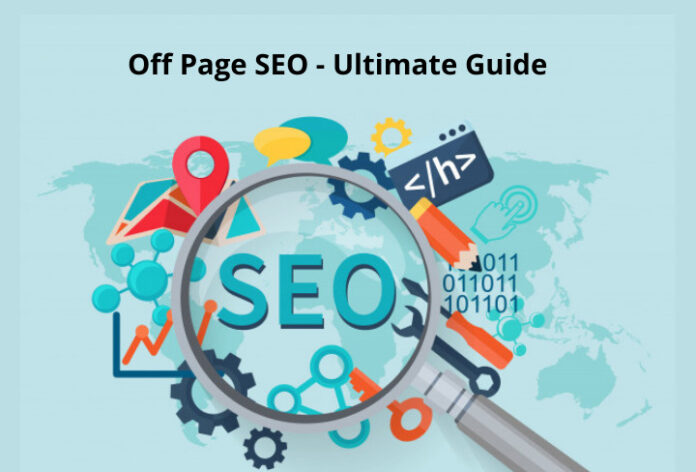
Off Page SEO – Ultimate Guide

“SEO consists of several qualities”.

Everyone would agree with this statement.

One of the most primary factors of SEO is – Off page SEO. If you’re a newbie to digital marketing, off-page SEO doesn’t make you sense. Beginners consider off-page SEO is just about getting backlinks.

In reality, off page SEO goes in-depth than that. Consider, brand mentions are an important factor of off-page SEO. If you’re a professional digital marketer and content marketer, you probably begin your journey with on-page SEO. Later extend your journey to several things that really matters to search engines.

Keeping it simple, off-page SEO tells search engines what other people think about the website. Let’s consider, if you’ve backlinks from trusted websites, Google will consider your website as valuable content.

SEO can be scary for beginners who don’t know how to start and unaware of the ranking factors. Don’t worry, develop an in-detailed knowledge of off-page optimization, you can easily improve your rankings on search results and beat the competition.

Moving a step ahead, let’s discuss what is off page SEO

What is off page SEO?

Off-page search engine optimization deals with the activities that are performed outside the website. The ultimate goal of off-page SEO is to improve ranking on the search results. As per analysis, off-page SEO techniques can make upto 75% of an excellent digital marketing strategy.

This article is just for the people who believe off-page SEO is just getting links. There are several wings to it. The strategies and techniques of off-page SEO will make you famous in your niche within a shorter period.

On-page SEO activities are performed within your website, while off-page search engine optimization activities have happened away from your website. For example, when you contribute a guest blog to a relevant site or leave a comment on the blog, this is considered as the off-page site promotional activity.

Hope you’ve got a basic understanding of what is off-page SEO, now let’s have a look at the importance of off-page SEO.

Why is off-page SEO important?

Off-page search engine optimization is highly valuable. It tells Google, Bing and Yahoo that your website is valuable on the internet. The link you acquire from trusted sites and brand mentions that you receive will increase the quality of your website.

Complex algorithms, ranking factors, strategies and other techniques often change with time. On the other hand, the authority, quality and relevance that an off-page search engine optimization can afford will still play a key role in rankings.

It’s no surprise that links play a major role in website ranking on search engines. Whether you’ve inbound links or outbound links, these will increase the possibility of ranking your website on top positions. If you want to rank your website then you need to ensure that you’re focusing more on the visibility of the website. However, few websites don’t rank better by adding links. This can be due to a lack of few off-page SEO factors such as videos, blogging, social media and more.

Hope you’ve understood what is off-page SEO and the importance of it, now let’s discuss what are the different types of links for off-page SEO.

Types of links for off-page search engine optimization

A strong SEO foundation starts with building a powerful backlink profile. Whether you’re a newbie or a professional digital marketer, you need to understand the importance of earning a backlink. This is essential to rank your website on search engines.

“Backlink” is the heart and soul of off-page search engine optimization. Popular search engines such as Google, Bing, Yahoo and others make use of these backlinks as the indication for valuable and relevant content. Simply put, backlinks are considered a powerful and important element of off-page SEO.

There are three types of links 

  • Natural links
  • Built links
  • Created links

Natural links

As the name suggests “Natural”, these links will come to your website in a natural way. Sounds amazing right? Yes!!! You and your marketing team don’t need to struggle harder to earn a natural link. When other person feels your website is related and valuable, they will link your website in their content. Whether the link is do-follow or no-follow is secondary. 

Built links

Building links to your website can be possible with outreach. You need to spend time and work harder with your team to earn a backlink. The outreach can be multiple ways, requesting a journalist or webmaster to provide a link. Few marketers earn links by promoting their content via ad campaigns. This will increase brand exposure and awareness. Create valuable content and build internal or external links.

Created links

Earning created links is simple and easy. You and your team members should work on self-submission. This can be a press release, forum, directories and more. Simply put, created links are the links that are created intentionally. No outreach is involved while creating these links.

Keep in mind that this off-page SEO strategy is a considered black-hat SEO technique. Hence, make sure you concentrate more on natural links and built links.

Following are the key factors that can influence the value of links

Don’t just focus on acquiring dozens of links to your website. You need to focus on authority, trust and equity passed by the link. Many digital marketers could acquire several links from the unpopular or spammy website. Do you think these low-value links will help your ranking? Of Course no.

Hence it’s important for everyone to concentrate on link building techniques on the popular and trusted website with amazing link equity.

No more waiting!!! Let’s discuss the key factors that influence the value of the link

  • Anchor text
  • Age of the link
  • Page rank
  • Total number of links
  • Relevance of the linking website
  • Content and context
  • Trustworthiness of linking website
  • Domain authority of linking website
  • Do-follow vs No-follow
  • User engagement

Every factor is important, these will add an additional boost to your link. While creating a link to your website, make sure you remember these factors. It’s better to add a link that is useful and related to your users. Your ultimate goal should be creating valuable links and attracting users to your website.

Want to know more about off-page SEO techniques and strategies, continue reading…

Link building

Whether you’re running a marketing blog or finance blog, generating valuable links should be your top priority on your off-page SEO checklist. This factor is applicable for small, media and large scale businesses. Links will help Google and other search engines crawl, index your web pages. Simply put, links are the primary factors that help to optimize the website for search engines. Also, increase the ranking of your webpage on the SERPs.

Let’s have a look at link building

Definition

Link building is an excellent way of acquiring a link from trusted and relevant sites to your website. These links are useful for users and search engines. Users can easily navigate from one webpage to another website without hassles. Search engines such as Google, Yahoo and Bing use these links to crawl your website.

Link building is an excellent component of any successful SEO technique. It aims to generate a natural link to your website. Links play a prominent role in generating organic traffic through search results, especially in a huge and competitive niche. With a good combination of on-page SEO, high-quality content and attractive web design, link building can be an effective way to generate organic traffic.

In reality, the need for quality, valuable, trust and relevance has more power. While low-quality and spammy links can work but are not suitable for long term success.

Link building strategies

Planning to build a powerful link building strategy, is just for you.

Ask people for links

You don’t need to work harder. Ask your friends, colleagues or relatives for links. Keep a note, you need a link from a relevant site. Check before you ask for the link from the known people. If the website is irrelevant, the link doesn’t have a great impact on your website. On the other hand, people will hesitate with the relevant link.

Blogging

What could be an excellent way to improve brand awareness? The answer could be mostly – Blogging.

While offering useful and valuable content to the potential audience through blogging is a win-win strategy for any industry. You don’t need to spend millions of dollars on blogging techniques. It is a cost-effective solution for any business to generate traffic, attract potential customers, build awareness and enhance off-page SEO techniques. As per analysis, over 80% of businesses are implementing blogging strategies to acquire new customers.

Many people consider blogging as easy and simple. But, it’s completely wrong. You need to dedicate your time and effort while contributing to a blog post. There are several things involved in blogging such as researching, writing valuable content, adding the images, proofreading the content and editing. Once you’ve done contributing to the blog post, you need to promote it on several networks.

Select the relevant and trusted blog

It’s no surprise that there are countless blogs available on the internet. Spend time on finding the relevant and trusted blog to contribute. Increasing the traffic and building brand awareness can be easy when you contribute an excellent blog to a relevant blog. For example, if you’re running a finance blog, search for a top finance blog and contribute. Don’t spend your time contributing a blog post on fashion websites.

Contribute a quality blog post

How can you expect users to visit your blog with poor content? This might be foolishness. Users will visit your blog only when you offer valuable and relevant content. Contribute an excellent blog post with attractive images and attract more visitors to your blog. Interesting and valuable content can be shared by most of the users and eventually, your blog reach will expand.

Request bloggers for link

If you want to improve your ranking then you surely need to take the influencers help. Yes, you’ve heard it right. Specifically, you need to seek help from trusted website owners or relevant bloggers to link your content. When they share your content on their blog, you will grow in no time. Outreach is the best strategy to acquire quality backlink.

Keep an eye on what blogger or website owner is doing

If you’re striving to improve the chances of acquiring excellent coverage, becoming an active member of the blogs is pretty important. It might sound awkward when you request a favour without any introduction. Hence, you can comment or engage with the post before sending the request. Also, never interact in a lazy way by commenting “good post”. Instead, spend time and share your opinions on the post. This will surely make you recognized and memorable.

Offer something valuable in return

“Do something to get something in return”. This might be a suitable line. If you want a successful outreach with trusted website owners or niche bloggers, you need to offer something valuable in return. Never seek a favour without giving anything. Offering something valuable is an excellent approach to gain attraction. If you’re a beginner, it can be a daunting task to offer something valuable. No worries!!! You can provide a free copy of the product or service for review. Also, you can provide exclusive coupon codes to their blog users.

Never spam

This might sound obvious!!! But you’ll be surely amazed at the count of spammy email received by the bloggers every day. When a blogger declines or doesn’t accept your product review, stop approaching them. Be positive and move on. Never email them continuously and waste their time. Sending a bunch of emails on the same day can annoy them. Be professional when you outreach to generate better results.

Social media marketing

Social media marketing should be your next priority in the off-page SEO checklist. Small and large businesses use social media platforms such as Facebook, Instagram and Twitter to connect with their target audience. If you’re not interacting with your audience on these social media platforms, you’re missing something great. Social media marketing will generate remarkable success for the brand. By following the right social media techniques, you can easily improve traffic and conversions.

Creating a social media strategy is important for off-page SEO success. If you’re a newbie you might be unaware of the techniques and tips for creating a solid social media strategy. No more worries!!! Creating an excellent social media technique doesn’t require it to be difficult or painful. Continue reading…

Tips to create a successful social media strategy

Set goal

Don’t rush!!! Spend time on setting a list of marketing goals and objectives. This is your initial winning step. Without choosing your goals and objectives, measuring your success is in no way possible.

Understand audience

Learning about your audience is important. After setting the goal, creating an audience persona should be your next step. Knowing and understanding your audience is the key to social media marketing. This way, you can engage with your audience in an effective way. Create content according to their interest. If you want to turn your social media users into potential customers, you need to know about your audience.

Gather audience information

When considering the target audience, you need to know a few things such as name, age, qualification, job, interest, location and more. When you know these things you can easily engage with your audience on social media. Gathering audience information is now easier with social media analytics. Yes, you’ve heard it right!!! Social media analytics tools will provide valuable information about your potential audience. Make great use of these analytic tools and refine your social media marketing strategy.

Competitive analysis

Keeping an eye on your competitors is important. Competitive analysis should be your important part of any marketing strategy. A competitive analysis is a way of evaluating your niche competitors to understand their strategies, techniques, strengths, approaches, weaknesses and more. This is a great opportunity to compare with your own strategies. This analysis helps you to reshape your strategy on social media for better results. Conduct competitive analysis right away and spot several opportunities.

Use social media listening

Have you ever heard about social media listening? No, then you need to have a look at it. Social media is one of the excellent approaches to know about your competitors. Sounds amazing right!!! Yes. Spend time searching your competitors. All you need to enter the competitor name on the social media channel. Also, using brand keywords you can find your competitors. Keep an eye on what your competitors are sharing and how audiences are reacting to their posts. Check how frequently competitors are posting and interacting with the audience. Use Hootsuite and monitoring your social media accounts will be easier for you.

Set social media accounts

There are several social media networks available in the market. The popular social media networks are Facebook, Instagram, Twitter and LinkedIn. But, you need to decide which social media channel to use. Once you’ve decided, it’s time to set up social media profiles. Use high-quality content and images for every social channel. Also, you can create business pages on every social media network to improve brand awareness.

Create content calendar

Sharing excellent and high-quality content should be your top priority. At the same time, sharing the content at the right place and the right time is equally important. Hence you need to plan accordingly. A content calendar is the best tool to schedule your post. This way, you can concentrate on other important things to improve your business.

Set a perfect posting schedule

Social media content calendar is responsible for listing the accurate date and time to publish on every channel. Content calendars help to improve your all social media activities right from sharing the posts to videos. Also, the tool will make sure that your every post or blog post is published on-time without any delay.

Evaluate and adjust social media strategy

Social media marketing is an important factor in off-page SEO. Also, it’s crucial for every brand to improve traffic and conversions. Keep in mind that you cannot expect great results at the initial stages or on your first try. During the initial days, you need to focus on creating high-quality posts and track your results. Also, you should find out strategies that don’t generate better results. Re-evaluate the social media techniques regularly and refine the strategy to generate better results in real-time.

Conducting social media surveys is one of the popular ways to find out how your social media strategy is working. Request and seek feedback from your followers. Email your customers and ask whether they’re satisfied with your brand or not.

Social bookmarking

Want to improve your digital marketing efforts? Yes!!! Have a look at social bookmarking. It’s no surprise that social bookmarking plays a prominent role in off page SEO.

There are more than 1.80 billion websites available on the internet. Finding your website online can be a daunting task. Therefore you need to use tools to found your business online. A powerful social bookmarking is here to improve your ranking on SERPs.

Definition

People love sharing!!! They often send website links to their friends or family members. Social media networks are a powerful way for social bookmarking, among all the networks Pinterest and Twitter sounds as popular. These bookmarks will save information, this means you can access the information whenever possible.

The social bookmark will notify Google and other search engines that your website is valuable. Simply put, they will improve your brand trust, credibility and authority.

Benefits of social bookmarking

As mentioned earlier, social bookmarking is an excellent method to improve online presence, Whenever you add your website to social bookmarking sites, search engines consider yourself valuable. Following are the key benefits of bookmarking

  • Faster site indexing
  • Create a backlink
  • Improve traffic
  • Social signals

Social bookmarking best practices

There might be a set of best practices for everything you do to drive excellent results. Following are the tips and practices while performing social bookmarking to boost your SEO.

Choose high-quality social bookmarking sites

Relax!!! Spend quality time on choosing the trusted social bookmarking sites. Never ever waste your valuable time on social bookmarking on untrusted or less popular sites. Posting on spammy websites can have a huge impact on domain authority. When your domain authority gets decreased, your rankings will also get reduced on search engines.

Give complete details

Whenever you create a profile on popular social bookmarking sites, it’s important to provide complete details. Completing your profile will help search engines to index your website.

Interact and engage with the audience

Have you completed adding your company information? Yes!!! Do you think your job is done? No. Don’t just disappear as soon as you complete your profile on social bookmarking sites. Engaging and interacting with the target audience is important. Be active and stay connected with the audience for a long term commitment. 

Forums

Have a question!!! Will online forums boost your SEO? Of course yes. Forum is the popular discussion platform available on the internet. Whether you’re a student or a professional gig, you can interact in online forums. Many people ask questions on forums and get advice or suggestions from professional individuals. This is something simple and easy to do.

Find the related online forums and participate in the discussion. For example, if you’re running a mobile selling website, participate in the online discussion of who is discussing the best mobile phone in the market. Build a positive connection with the online community members by providing answers, advice and suggestions.

Benefits of online forums

  • Improve communication
  • Increase collaboration
  • Better engagement
  • Customer retention
  • Cost-effective

Question & Answer

Content creators often spend their time and effort on creating valuable content. Providing the right content for the right people is one of the effective ways to improve brand authority. If you want to make most of your content, “Question & Answer” platforms are the right choice for you. The popular sites are Quora, Ask.com, Yahoo Answers and more. Choose the popular and relevant site, check the question and provide answers and suggestions. This is the best way to add extra value to your content.

For example, if you’ve already written a blog on “How to make money online”, add the link during the discussion. Whenever a user clicks on the link, then can redirect to your website. Sounds amazing right!!! You can increase traffic. Be careful while adding the links, never make the link that appears like spam. When you handle it strategically, this can be the excellent off-page SEO strategy in this checklist.

Newsletter

A newsletter is a cost-effective platform for building a relationship with potential customers. Also, the channel helps to maintain regular interaction or content with the prospects. Newsletters can take you a long way. It is one of the powerful ways to improve customer relationships.

Definition

Newsletter marketing is the common practice used by small and large businesses. Brands send the information about the latest product launch, new blog and other important information via email to potential customers and prospects. Many businesses use newsletter marketing to keep their business products or services top-of-mind for the subscribers in the list.

As mentioned above, the newsletter is an excellent and cost-effective solution. It is the best way to interact with target customers and prospects. Be careful while planning your newsletter to generate better results. While sending newsletters don’t send unnecessary content that hesitates subscribers. Send recently published blogs, how-to-use tutorials, latest and ongoing coupons and more. Make sure your newsletter is original, short and useful content.

What next? Don’t send a newsletter whenever you get time. Send newsletters at appropriate times according to subscribers’ local time zone. Send newsletters at specific times. Don’t send too many newsletters in a single day. This will annoy your subscribers and you may start losing them

Guidelines for an excellent newsletter

Don’t just send the newsletter to subscribers with half knowledge. You need to follow a few guidelines while creating and sending the newsletter. Small and large companies from several industries are using the newsletter to connect with their potential customers and prospects to build brand awareness. 

Let’s discuss how to create an effective newsletter

  • Creative headlines: This might sound like a basic rule. You need to create good and short headlines. Write catchy headlines and catch the subscriber attention. 
  • Relevant information: The headline should match with the text in your newsletter. Don’t just bluff the subscribers by sending spam messages. For example, when your title is a new product launch, make sure the content in your newsletter is completely related to your new product details.
  • Consistently scheduled: Sending the newsletter on time is also important. Send the newsletter in regular intervals and grab the attention of every subscriber on your list.
  • Add a call to action: Never ever forget adding a powerful call to action button on your newsletter. Simply put, every newsletter needs to have at least one call to action button to be performed by your subscriber.
  • Uncluttered format: Many businesses struggles to maintain a smooth format while writing a newsletter. In fact, they follow an uncluttered format in their newsletter. Don’t risk yourself by following an uncluttered format. Because your readers may overwhelm you with the uncluttered format. There may be a chance of unsubscribing to your newsletter.
  • Mobile responsive: The number of mobile users is greatly increasing. Therefore you need to optimize your newsletter for mobile users to generate excellent results.
  • Unsubscribe: Want to make your subscribers happy? Yes!!! You need to include an unsubscribe link on every newsletter. If the subscribers are not happy with your service, they can easily unsubscribe within a single click.

Influence marketing

What could be the next big thing in off-page SEO? The answer is – influence marketing.

Influencer marketing works in a straightforward way. This type of marketing involves a business collaborating with their niche influencers to promote brand products or services. Small and large business approach influencers to increase brand awareness and conversions.

Influencers can be anybody – actor, business expert, photographer or any other celebrity. All they need to have large followers base on their social media channels. For example, if you’re running a fashion blog, you can approach a top fashion photographer on social media. Within your niche, you can find the top influencers to promote your product or service. Few influencers may have just 20,000 followers, but they might have professionals in their niche. These are go-to people who can provide the right answer to audiences’ questions. Influencers can share world-class pictures and make your video look entertaining and informative.

Digital public relations (PR)

How can you improve your brand presence? Say a million thanks to digital PR. It is the off-page SEO technique to increase brand awareness just by gaining press hits and links. This strategy may sound simple, but you need to perform the strategy in the right way. When you follow the digital public relation guidelines, you can improve your brand reach by generating referral traffic. Also, when you do it correctly, search engines will consider your website as relevant, trusted and active. As a result, your website ranking will increase gradually.

Factors that impact your off page SEO with digital PR

  • Blogger outreach
  • Online Press Releases (PR)
  • Content marketing
  • Social Media Marketing (SMM)
  • Online Reputation Management
  • Top PR platforms like HARO, Business Wire and more

Video, image and infographic submission

Most digital marketing experts suggest video, image and infographic submission boost off-page SEO. 

Video submission

Have you created an excellent video? Want to make the video even more popular? Yes!!! Head to top video submission websites. The popular video submission sites are YouTube, Vimeo, Dailymotion and more. While submitting your video, give a good and clear title, simple description, links and tags. The video submission websites will bring you a quality backlink.

Image submission

Performing image submission technique for your off-page SEO is the wise way to get quality links. Image submission in off-page SEO includes sharing your images on relevant submission websites. It entails selecting high-quality images, alt text, description, tags and proper file format. Image submission can be done in two ways i.e sharing your images on a website or sharing your image on top image submission websites. The popular websites are Facebook, Google+, Flickr, Pinterest, Instagram and more. All you need to do is create an account and share your images. Optimize your images with excellent SEO measures. Because image submission may not work when you don’t optimize the images. Thus you should optimize all the images that can easily be crawled by search engines.

Infographics submission

Infographic submission is the effective way used in off-page SEO. The infographic is a combination of information with graphics. If you want to create attractive infographics, you can become popular in no time. It’s time to submit or post infographics on top submission websites such as Reddit, Visual, Submitinforgraphics and more. The image size may vary depending on the website. Submit the infographics and provide reference links to your website.

Use Google My Business 

Why do you want to take your business online? This might be a common question. If you want to increase potential customers and improve conversions, you need to take your business online. Whether you’re running an e-commerce website or handling a social media page, switching your business to online has several advantages.

As the name suggests, Google My Business helps businesses to list their products or services on Google. GMB ensures that brands provide required information to the customers. The details will help customers to visit, contact or place an order.

It’s time to capture your brand identity with Google My Business. GMB is one of the popular products that is introduced by Google. The product is available for free. Use Google My Business and boost your local rankings. Keep a note, you should optimise Google My Business profile to generate better results. There are several ways to optimize your content, images, links and more. This will surely help to drive a good amount of organic traffic and increase your brand awareness.

Amazing tips for Google My Business

  • Write a detailed description of your business. The minimum limit should be 250 characters.
  • All the primary things should be available in the first paragraph. Mention your brand name, location, phone number and other important details.
  • Keep the profile updated with the latest information. Add ongoing offers, coupons or new product launch.
  • Always keep an eye on the review. Look what the audience is talking about your brand. Spent time by interacting with your audience.
  • Upload genuine and real pictures. Customers may look for pictures before visiting. They may feel sad or depressed when the pictures don’t match.

Hold contests and fundraisers

Is there anybody who doesn’t like to participate in the contest? Of Course nobody. Digital marketing experts suggest running a contest to attract a large audience. On the other hand, fundraising is another way to generate better results.

Post the contest information on your social media channels. Encourage and invite your friends and followers to participate in the contest. Let them share your content on their profiles. Whenever your followers start sharing your brand, ultimately you can increase traffic and followers. Simply put, running a contest on a social platform is an excellent way to improve your social presence and increase your followers.

Running a contest on social media channels have several benefits, let’s have a look at it

Advantages of running a contest on social media

  • Build community
  • Improve brand awareness
  • Increase customers
  • Improve conversions
  • Increase engagement

Wrapping up

Search engines use algorithms to rank your website on search results. One of the excellent ways to improve your ranking is by optimizing the website. Off-page SEO is one of the important techniques to improve ranking in SERPs. The off-page SEO technique must be applied outside of your website. Links, social media, brand mentions and shares are popular off-page SEO techniques. Off-page SEO is an important strategy to optimize your website and attract the attention of the right audience. The above-mentioned strategies help to improve our rankings on SERPs.

Keep a note, there are many other strategies that you can use. Check all the off-page strategies and pick the one that actually works better for your niche.

Mypoints Review

Are you someone who always struggles at the end of the month? Do you feel a little more money would breeze you through the month-end? Then this article is for you. Stick till the end of this article to find out another interesting and simple way to make money. 

Curious! Want to know about the method we are talking about? Well, it is earning points through shopping. Come on! Don’t just be disappointed right at the start and stop reading. It is truly an interesting way to earn money. If you’re wondering how spending helps you in earning extra money. Patience! My friend. You will find answers to all your questions by the end of this article. 

Have you ever heard about survey sites or reward-based shopping portals or cash back apps? If yes, then you already know how this works. Whenever you complete a survey or finish a new task you will earn good rewards/points. These points can either be cashed out or you can actually get cashback. There are many platforms out there such as Swagbucks, Branded Surveys, Mypoints, etc. 

In this article, let’s discuss My Points. My Points is a platform that allows its members to earn points through shopping. Yup! You will be paid for shopping at your favorite store. This platform is open for everybody and it is free of cost. And the best part is, you get a welcome bonus of $10. You can either choose it to be an Amazon gift card or a Visa gift card. This platform works just fine at all your favorite stores. You can also find all the deals, sales, promo codes, and coupons too. Without any further ado, let’s jump into the topic and learn more about Mypoints. 

What is MyPoints?

If you want to try MyPoints then you must first understand the brand. Let’s start from the inception of the business. MyPoints have been in the business for a long time. No exaggeration, this platform has been serving its customers with online shopping and rewards since 1996. Over these years, the platform has evolved into one of the most sought-after portals for online rewards.

By 2016, its popularity had reached Prodege. They have brought MyPoints for a whopping sum of $13 million. At the time of acquisition, MyPoints had around 9 million registered users. Apart from this platform Prodege has also acquired many other reward portals. Even after the acquisition, this platform is still leading the online rewards portals.

For everyone who is interested in making some extra cash through a side hustle then MyPoints is your go-to platform. From paid surveys to shopping you can earn points for various activities. Fret not! We will be knowing about all the features that will help you earn money on this platform. 

Shop and earn

Are you someone who enjoys shopping? Yes, then you will love this platform. You can earn points from MyPoints by shopping. Just so cool, right? Apart from shopping, you can find details about the latest coupons, deals, promo codes. You can follow their links and start shopping. For every penny, you spend you can earn points. Once the order is reported to them you will receive points to your account. Also, the best is that you can get alerts to your browser so that you never miss out on any money-earning opportunities. 

Earn through Surveys

Another interesting way to earn money through this platform is by taking surveys. Yup! In the beginning, we have mentioned that one of the easiest ways to make money online is taking surveys. MyPoints is also one of the most popular paid survey platforms currently available. The questions in the surveys will actually be about various topics that need discussion. Take the survey and answer the questions and share your opinions on several topics and earn good money.

Every time you finish a review you will be awarded MyPoints(Yup! The points you earn are quite literally called MyPoints.) From Fashion to Travel, the surveys will be about anything and everything. The volume of these surveys will depend on the size and type of the focus groups that market research firms would like to study. Sometimes apart from the online surveys, you can also get your hands on product testing and reviews too. 

If you’re wondering where these surveys are coming from the answer is simple. Companies love data. Data help them understand their demographics and their preferences. So naturally where a person enters a survey and finishes it. They get a lot of information. This research is highly valuable for them. Not only improve existing products they can also bring better products too. They can strategize and develop products and understand how they will perform in the market. Simply put, they rely on the survey to gain customer insights and opinions. 

Other ways to earn money

Apart from the above-mentioned method, there are many other ways in which this platform is offering opportunities to earn. Yes! Did you think you didn’t have any chances other than surveys and shopping? Well, you’re highly wrong. You can earn points from watching videos, buying groceries, playing games, and more. All you have to do is perform simple day-to-day activities and you can easily earn points. You also find amazing travel deals and offers on this platform. The best thing about this platform is that there are no commitments and hidden fees involved. You can use your points and redeem them to earn gift cards from your favorite brand. 

Discovering Content & Sharing an opinion

With this platform, they can discover nCrave activities that will introduce you to many relevant videos and sites that will help you make money. Another interesting way to earn points on this platform is by sharing your opinions. Yup, you heard it right. As you already know you can earn money through sharing your opinions i.e., answering surveys. Through this method, you can earn around 400 points.

Watch videos & finding great deals

They offer you complete playlists that you can watch. Through watching these videos you can earn upto 500/day. Cool, right? You can earn money while being entertained. Finding the right deals can save you a lot of money. Yup, the burden on your pocket will reduce as you can get your hands on amazing deals. Explore and find amazing deals and many offers for over 50,000 points. Not only that you can also earn points for every dollar you spend for your Livingsocial and Groupon purchases. 

Searching web & reading emails

How often do you search on the web? Well, every day, right? So why not use your web searching skills to earn points. You can do Yahoo searches and earn up to 170 points. Awesome, right? Another easy yet everyday chore that will help you in earning points is reading emails. Simple, right? BonusMail offers you excellent deals. You can earn good points by just clicking on the mail too. 

Games & coupons

Yup, this is another simple yet easy way to make money from this platform. Mypoints provide you with many interesting games that you can play. Some of the games available on this platform are Solitaire rush, Bejeweled2, etc. You can easily earn upto 8 points per dollar. You can also save money on groceries. You just have to redeem and print the manufacturing coupons and you can earn points. 

Refer a Friend

Good things should always be shared. How you alone can benefit from this platform. Share this platfrom with your friends and help them also make good money. Another interesting thing is that you can earn 10% from your friend’s qualifying points. Both you and your friend can make good money.

Wondering how to start and where to start? Well, all you have to do is sign up. The sign-up process is also quite simple. You just have to provide them your email address and the rest will follow. They have several major brands such as Target, Amazon, Macy’s, Walmart, Groupon, Expedia, eBay, The Home Depot, etc. 

Redeeming the points

Now, you have shopped and finished surveys and have earned good points. Next, what? Well, it is time to redeem your points and get your rewards. You can cash out your points whenever you want. There are two methods in which you can redeem your points i.e., gift cards or transfer redeem the points as rewards, and get them cashed out. The money will be transferred directly to your PayPal account.

The process of redeeming your points is also quite simple. You can log into your account and then click on the gift icon present on the site. If you have difficulty finding it, it is present in the upper right-hand corner. The points that are available for you for redemption will be shown in your point balance.

Log in to your account and check out the amount you want to redeem and click redeem. You can redeem them as travel miles, gift cards, or cash (paid through PayPal). Join the community to do fun and interesting activities and earn money.

Is Mypoints free?

Yup, it is absolutely free. Great right? Like other survey platforms Mypoints, Swagbucks, etc. This platform is completely free. You just have to sign up and the rest will follow automatically. Well, there must be one question that is plaguing your mind. If they are allowing you to make money for free then how are they actually earning money? Well, it is quite simple. Every time you purchase from thair affiliate links they will earn a commission. Not only that they also get paid whenever you watch videos, finish surveys they will receive payments too.

Is Mypoints safe?

Since the data breaches and viruses that cause malware have become quite prominent. So it has become a primary concern for people when they are accessing different platforms on the internet. With Mypoints you can be assured about the security of the platform. Although there are no particular safety and security guidelines within the website mentioned.

You can be assured that the reviews and ratings related to this platform are quite high. It has 4.5 stars in Trustpilot and around 4.1 in SiteJabber. In case you have any queries or doubts that need to be addressed you can always contact their support team. One thing that you must remember is that they have no live chat or phone support. All your queries will be answered if you submit a request on their forum.

Is Mypoints worth it?

Well, it is absolutely recommendable as a side hustle. You can definitely earn good money from it. Also, you can work from anywhere at any time. The only thing that you need to remember is that this is not a substitute for your daily job. Yup, you heard it right. It will bring in some extra income to your wallet. But depending completely on this platform to accomplish your desired lifestyle is truly impossible. Treat it as a side hustle and you can actually earn some extra income and attain your basic needs.

Pros and cons

This review has covered all the aspects that you need to know about this platform. Here are detailed pros and cons that will provide you with a precise understanding of this platform.

Pros

  • This company is trustworthy and has been in the business for a long time. 
  • You can earn money for free (No charge for sign-up)
  • Many large companies are part of this platform.
  • Provide excellent deals and coupons
  • Offers multiple redemption methods

Cons

  • Customer support is limited

Wrapping up

Since you have made it to the end, you would have found all the information you are searching for. Hope you understood about MyPoints completely. You can check out their sites and other review platforms before signing up. It hardly takes a minute or so to finish the sign-up process. Sign up for this platform and start earning good money today. Wanna know more about survey platforms similar to this one? Then check out the Postling website

8 Non-Negotiable Reasons Why a Business Must Hire a Digital Marketing Agency

A business owner might be asking why digital marketing is essential. Every company will have specific goals in mind, but the majority are trying to achieve growth by reaching out to more audiences and consumers and convincing them to buy. But in order to accomplish this efficiently, a business must take advantage of every valuable marketing resource and technology in the modern world. The internet tops this list. Because of this, every business will require the services of a digital marketing agency. A business must understand the most beneficial eight reasons of digital marketing, as discussed in this article.

  1. Affordability

Digital marketing is considerably less costly compared to other marketing methods. Specific prices will fluctuate based on what a business is undertaking, but it tends to be less expensive than different marketing types.

  1. Mobile Access

 The majority of people worldwide are using their smartphones and are likely to use that device or another mobile device for various internet services such as social networking and numerous other activities. When utilising digital marketing, it helps a business reach these audiences while they are doing these activities. With remarketing ads, email, as well as text marketing, a business can be in front of the audience while audiences utilise many different applications on their mobile devices.

  1. Flexibility

There are numerous forms and uses of high-quality digital marketing. These include banner ads, email marketing, as well as content marketing. Thus, discovering how to creatively market a business digitally opens up a wide range of possibilities for future marketing strategies. When a business hires a digital marketing agency, it will also have the flexibility to test and stop campaigns performing poorly in real-time.

  1. Expansion

The majority of customers now make purchases online. Digital marketing allows a business to reach out to these people and expand the reach of their company. By utilising Google, shopping ads, as well as brand awareness campaigns, a business can grow its brand recognition and level up sales.

  1. Multimedia

Customers feel more engaged with marketing materials that utilise numerous types of content, including video clips, photos, and audio. It is far more effortless to incorporate all of these elements into digital marketing than any other type of publicity strategy.

  1. Interactivity

Digital marketing allows a business to communicate directly with the customers who will be seeing their content, notably via website comments, messages, and social media posts. It will enable a business to show these customers that they care about what they say and think. It makes customers feel respected and as a part of the community. It also allows a business to gather valuable information such as customers’ reactions and preferences.

  1. Tracking

Aside from connecting with customers, digital marketing allows businesses to track activities. It will enable a business to monitor the type of ads, and content customers have seen shortly before purchasing. It tells which marketing methods are most efficient, allowing a business to refine and improve its strategy.

  1. Authority

Digital marketing makes it effortless to comment on issues and controversies that are connected to products or services in a business’s industry. In this manner, a business can establish itself as an authority on such topics leading audiences to trust them better. Audiences will be coming back for more information and eventually make a purchase. Digital marketing allows a business to come off as the industry leader and expert and will make them appear trustworthy in its field.

No business will thrive in these modern times without strategic digital marketing. It is critical to get into the fray and win it in the digital world, as people are now plugged in 24/7, and the internet is the primary resource where they get news and data about a business’s products and services.

Who owns AOL?

AOL, originally called America Online, is an online service provider and web portal, based in New York, United States of America. Well, you might have already known this. But did you know that the company was among the early pioneers of the Internet back in the mid-1990s?  How much do you know or do not know about this service provider? Let’s stick till the end of the article and find out.

Like we just mentioned above AOL is one of the first pioneers of internet services back in the 90s. The company was founded in 1983 and started out as a venture called Control Video Corporation (CVC). The CVC was founded by William von Meister and was providing an online service, GameLine, for a video game console called Atari 2600.

After von Meister left the company in 1985, Jim Kimsey founded an Online Services Company called Quantum Computer Services on May 24th 1985, from what remained of the CVC. Later in the same year, Kimsey changed the company strategy to provide dedicated services for Commodore 64  & 128 computers. The company then was called Q-link or Quantum Link. AOL has gone through all these transitions over the years and evolved into the one we now know it to be.

AOL being an internet company has acquired many other companies from its beginning years only. The company’s first acquisition was in the year 1994 of an internet service provider called Redgate communications. The company has acquired more than 80 other companies, with its biggest acquisition being that of a web service provider called Netscape for 4.2 billion US dollars.

In the year 2000, as broadband services were being rolled out in and around New York City, AOL merged with Time Warner to form AOL Time Warner, Inc. this was the biggest merger in the history and was worth $165 billion

AOL was part of the merger until 2009, Tim Armstrong became the CEO of AOL on March 12th of 2009, following that, in the May of the same year, AOL came out of the merger. Under the leadership of its new CEO, AOL made a series of acquisitions and took steps in a new business direction. 

AOL provides a wide range of services like AOL instant messenger (AIM);  AOL Video, which features professional content, also allows its users to post and upload content on it; AOL Local, which is like a local city guide which provides the users with search services to find local information; AOL News; AOL My eAddress. The company has also ventured into film-making and earned an Emmy nomination for its original series. It also made a documentary, focusing on women in industries which are male-dominated.

Well, we could say that Armstrong has managed to keep up the business of the company by buying out other companies, looking at the number of acquisitions he made after he took over the CEO position in the company. But that wasn’t enough, the company still wasn’t at the forefront of the business and it was inevitable that some larger company would end up buying the company. 

Page Contents

Who owns AOL now?

 The inevitable has happened and the Verizon media bought out AOL in 2015 for $4.4 billion. But the deal came out to be on the positive side of AOL’s journey like Armstrong then said that in 5 years the business world would get more competitive and being a partner of Verizon in the business is the logical step forward. In 2017, following the acquisition of Yahoo by Verizon, AOL alongside Yahoo are merged together to work as separate entities under the name Oath, Verizon’s new company.

Wrapping Up

That’s pretty much all about the ownership of AOL, hope the article has provided you with the information you came looking for. For more such articles, visit the Postling website.