Home Blog Page 148

What are the major advantages of a self-hosted learning management system?

Online education is a lucrative industry that is quickly gaining popularity with this rising popularity of online tutoring. Now with the current COVID-19 pandemic, we are experiencing globally, online learning space is witnessing a phenomenal boom as both schools and universities are moving towards online learning. Moreover, the online learning industry is projected to reach $240 billion by 2023.

Considering the huge potential of the online learning industry, many businesses are venturing into developing their own online learning website. To achieve success, you need to do continuous development to enrich the user experience by adding new features according to your unique project requirements.

Choosing the deployment mode whether it is self-hosted or cloud-hosted can greatly affect the security of your data, the cost of implementation, and a lot of other factors.

In this blog, we would be looking into the major advantages of a self-hosted learning management system.

What is a self-hosted learning management system (LMS)?

Self-hosted LMS as the name suggests is a self-deployed or an in-house LMS. This means the solution offers the online tutoring software as a product and its installation has to be done on on-premises. To be more clear, you need to host your own LMS on your own server, instead of hosting it on the cloud.

Who needs a self-hosted LMS?

Self-hosted learning management systems have become more of niche option than a universal one as most people consider it as a thing of the past. The impact has been contributed by the cloud revolution happening in the digital industry. However, there are certain scenarios when a self-hosted LMS is the best fit for your enterprise. 

Let’s see who benefits from self-hosted LMS the most.

Large enterprises

Large organizations might be equipped with the infrastructure and adequate arrangements that can support self-hosted LMS without any issues. Enterprises can also benefit from the long term value offered by self-hosted learning management systems.

Businesses handling sensitive data

In case of a business that stores very sensitive data in their system, even the best cloud-based LMS becomes a liability, Self-hosted LMS suits security-conscious organizations who want to keep their data safe and secure. 

With a self-hosted learning management system, you own the database and the data. This means that you get the control of security like data probability, reporting standards, restricting access, implementing advanced encryption that shuts the door on unauthorized third-party access.

LMS needs to be integrated with other systems

Let’s be honest about this. Your learning management system is not the only software suit your business would rely on. You have other systems in your organization like HR systems, project management systems, communication tools, time tracking software, and a bunch of other essential apps. 

When you implement an LMS, you need you to integrate these many systems with your LMS. Selecting a self-hosted LMS will help you fully integrate your online learning software with the rest of your infrastructure.

Benefits of a self-hosted learning management system

When compared with cloud-based learning LMS, self-hosted LMS solutions are a long-term asset for your eLearning business. Do you think it is valuable comparing the huge initial costs you bear?

Let’s explore the advantages of an on-premise learning management system. 

A greater level of personalization

Self-hosted learning management systems typically provide more features for customization. You can personalize different areas of the dashboard and incorporate branding into your online education resources. 

While cloud-based LMS also allows you to customize your learning website to a specific level, self-hosted LMS offers more customization options than cloud-based solutions.

Implement data security policies of your choice

Most learning management systems come with important features for data security. However, they come with their own protocol to make sure your data stays safe. An in-house LMS permits you to implement your own data security features. 

For example, it helps you to limit third-party access to certain areas of the online learning platform or allows establishing a more sophisticated security system to maintain unauthorized third-party access at bay.

Team members will have complete control

Self-hosted LMS offers full control to your in-house team over the LMS and can customize it however you want. For instance, your IT team will be able to make changes to significant areas of the learning website to match your unique requirements. 

Most self-hosted LMS offers the best services by allowing you to choose for extra support services if required. For instance, if any of your team needs help to solve a particular issue, you can contact specialized trainers to help. You can also choose to opt for long-term customer support if your LMS provider offers the service.

Lower continual costs

While in the case of cloud-based learning platforms, you need to pay a recurring monthly or yearly subscription, a self-hosted platform comes with a one-time fee. 

While the upfront cost might seem higher, a self-hosted learning platform is cost-effective in the long run due to the lower continual costs. You just need to bear the one-time licensing fee which allows you to access the online learning platform unlimitedly. 

There are add-on costs and upgrade costs to include as well. However, when compared to cloud-based LMS, self-hosted LMS have lower ongoing costs which reduce the total cost in the long run.

Complete integration

With self-hosted LMS, you can integrate it with your already existing tools. Otherwise, you need to address the challenges and problems caused by incompatible software. However, an in-house online learning system offers you the flexibility to integrate all the software you use effortlessly making it easy to manage all processes smoothly and efficiently.

You determine the storage capabilities

An in-house LMS allows you to choose the storage capability and decide the amount of information you can reserve and choose the location of storage. However, it is still advised to back up your data on another server in critical situations where you might need to access the backed up data.

Easy to allocate other online education costs

After you pay the upfront costs for the self-hosted LMS, it becomes easy for you to allocate budget for other online training aspects. 

However, with a cloud-based LMS, it might be difficult for you to plan for the other costs as the monthly subscription fee is ongoing and it adds up to the costs every month. Self-hosted LMS allows better resources and budget allocation and better online training ROI.

Tips to choose the right on-premises LMS

Once you have finalized to opt for an in-house LMS, there are some important things you need to consider to find the best fit for your needs.

Here is what you need to consider.

Use the software before you purchase

A self-hosted LMS is a long term investment. Hence, you got to conduct thorough research before actually buying one. Not just that, before purchasing, it is recommended to try the LMS to test run your choice. See whether the UI is simple to use and easy to navigate, and valuable for the price you pay.

Trying out will also help you to understand whether the customer services match your expectations. Some of the LMS solutions also offer free demos and trials. 

Make sure you prepare valuable questions during your trial period and clarify them with your service provider before buying the online tutoring software. You definitely don’t want to regret it after you have made the purchase.

Involve your team during the software selection

During your LMS selection process, make sure you involve each member of every team. Don’t opt out members who would be using the LMS consistently to create and manage online learning resources. Invite your team members to test drive the self-hosted LMS system and offer their valuable feedback. You can seek their opinion as they would have some valuable suggestions to share.

Stick on to a practical budget

Before buying a self-hosted LMS, you need to set a realistic budget and consider all the related costs, instead of considering only the one-time fee. Also, plan the ongoing content development costs, maintenance costs, and up-gradation costs that you will have to bear. This helps you to analyze and calculate the overall costs precisely and avoid splurging than what you can bear in the long run.

Conclusion

Self-hosted LMS comes with plenty of advantages for your business. It allows you to personalize every area of your learning management system and offer you the flexibility to integrate the systems of your choice, adopt the safety measures with existing tools and software.

While the initial costs might be a little higher, with self-hosted LMS, you might save a lot in long term. Those were some of the few benefits you get by selecting an in-house LMS. 

LiveLearn from PinLearn is one of the best self-hosted LMS that allows educators and businesses to build and launch their own online tutoring business. Are you already using a self-hosted LMS? What are your experiences using a self-hosted LMS? What advantages did you enjoy by using a self-hosted solution? We would like to listen to your experiences and feedback in the comment section below.
5 reasons to choose finance over accounting

It is a common myth that finance and accounting stem from the same domain of expertise—hence, choosing a degree in either subject would mean the same thing. While the former part of the earlier sentence is technically true, finance and accounting are very different streams. Depending on your career aspirations, choosing a degree in either subject can bring its own set of benefits and disadvantages.

Although finance and accounting are both excellent domains to start a career, there are distinct benefits of choosing a finance course over an accounting programme. Read this blog to learn more about the advantages of choosing a finance course over an accounting degree.

What are the advantages of pursuing a degree in finance?

Here are the different benefits of going for a financial career with a finance course rather than accounting.

  1. Greater diversity in career options: Since finance is a broader domain as compared to accounting, you can opt for a much wider range of career options than what would be available with an accounting degree. A finance degree can open the doors to streams like investment banking, corporate finance, equity research, financial management, business finance and risk management. On the other hand, an accounting degree can only lead to accounting and auditing roles in government and private institutions.
  2. Access to a wider range of academic programmes: The broadness of the finance domain also translates into a wider range of subjects and disciplines within the domain. Hence, you can have a wide variety of academic programmes and qualifications such as bachelor’s degree in finance or business management to choose from in the finance domain. There are only a handful of accounting disciplines to choose from if you opt for an accounting degree.
  3. Better work life balance: Finance graduates can expect roles with a work life balance that is much better than accounting roles. Career roles in accounting may require you to put in long hours and an enormous amount of focus and concentration. On the other hand, finance has several sub-domains like business management or economics which provide some room for flexibility.
  4. Better chances of switching career domains: Depending upon the chosen area of interest, finance offers multiple chances of career migration if you wish to switch career domains. Investment bankers can move to private equity, economists can migrate to debt management and corporate finance professionals can move to corporate law. On the other hand, accounting qualifications build more of industry-specific skills rather than transferable ones which makes it harder for accounting graduates to switch domains.
  5. More networking opportunities: Owing to the broadness of finance degrees, it is easy to meet people from other domains within your professional space. Hence, it can be much more feasible to expand your professional network with a finance degree rather than an accounting degree.

Choosing a finance degree can allow you to choose from a wide range of career options that offer benefits like exciting work and excellent pay. You should establish a successful business career with short finance course today.

Tips For Protecting Your Account Balance When Day Trading Shares

Day trading is an increasingly popular way for regular people to experience the world of trading stocks and shares. Unlike regular traders, day traders complete their trades over the course of 24 hours. However, they still face many of the same risks. Here are four ways of protecting your account balance if you decide to start day trading.

Consider Mirror Trading For Beginners

If you don’t have any prior trading experience and don’t know how to trade shares, mirror trading lets you learn the ropes in relative safety. Mirror trading platforms enable regular traders to follow the moves that established professionals make. All you have to do is identify a trader who is worth mirroring and then configure your account accordingly.

Of course, while simply blindly copying other people’s trades can make you money, it won’t help you to understand what you are doing or what moves you should be making. In order to benefit in this way, you will need to pay attention to the moves that you are copying.

Day trading is a different kettle of fish to regular trading. Most stocks and shares trading take place over a relatively long period, whereas day trades are resolved over the course of a single day. If you do decide to try mirror trading, you will need to make sure that the traders you mirror are day traders.

Work Out Your Investment Fund Beforehand

The most important tip for protecting your account balance when you are trading is to first work out what your account balance is. You need to know exactly how much money is available to you and how much you can afford to lose. You don’t need to set aside a massive pot to begin investing, especially if you are just learning the ropes of day trading. Of course, the more money that you have to invest, the larger the potential returns that await you.

Set Yourself Strict Limits

The key to avoiding financial disaster when you are trading stocks and shares is to make sure that you never invest money that you can’t afford to lose. Investing is not all about chance like gambling, but every investment you make has the potential to turn bad. Even when you are day trading, anything can happen over the course of a day, and you never know when the unforeseeable is going to occur. Setting yourself strict limits and ensuring that you never invest beyond these will make it impossible for you to fall into serious financial problems.

Always Consider The Risk Reward Ratio

Before you pull the trigger on any trade, you need to consider the risk-reward ratio. While day-trading is a much faster process than regular trading, it is a mistake to think this means there is less of a strategy. Day traders might need to make decisions more quickly, but you still need to factor in the same considerations.

As long as you approach day trading the right way, there’s no reason that it should pose a threat to your bank balance. As with any kind of investing, there are no guarantees, and you always need to be aware of the risk you are taking. But as long as you are cautious in your approach, your finances should be safe.

PowerPoint Business Presentation Templates – Thousands available for FREE

Is PowerPoint  an effective tool when delivering a presentation? Of course YES. Many people believe PowerPoint is one of the effective programs.

PowerPoint is the buzzword in the world. There are more than 30 million people who are designing their presentation every day with PowerPoint. It is one of the easy programs designed by Microsoft. The powerful tool is helping people in delivering an effective presentation. Whether your presentation requires a high-quality visual kick or tools for collaboration, PowerPoint is the best choice for you. Presenting business reports and introducing new business products or services is easy with PowerPoint.

It’s no secret designing an interesting presentation with PowerPoint is simple and easy. Many presenters use default templates and layout during a business presentation. The audience often feels bored looking at default templates, backgrounds and slide designs. A business presenter needs to think out of the box. If you want to impress your audience, FPPT is a good choice.

Let’s dive into the FPPT world!!!

Introduction to FPPT

The term FPPT stands for “Free PowerPoint Templates”. As the name suggests FPPT offers PowerPoint templates for free. Therefore, business presenters can browse attractive templates, slide designs and layouts for their presentations. FPPT is the one-stop solution to improve your business presentations.

FPPT is the popular platform to download high-quality templates within a single click. FPPT was introduced in 2008. It has been more than a decade, the provider is providing excellent features for individual and business purposes.

There are over thousands of templates for personalized graphs and infographics while constantly maintaining the professional touch. No matter whether you would like to host a business seminar or high school seminar, FPPT is the perfect place for you. The FPPT templates, slide designs, layouts and backgrounds are designed by professionals and require a light touch while inserting the content. These templates can heavily be customized according to your requirement. Many presenters prefer hands-on while designing their presentation for uniqueness. Each PowerPoint template and slide designs are compatible with every presentation tool. Become a PowerPoint presentation pro with FPPT.

Benefits of using free templates at FPPT

  • Get immediate access to thousands of templates, themes and slide designs. No sign-up is required to access or download the template.
  • The templates allow presenters to save their time and effort, as compared to designing the slides from scratch.
  • FPPT is the best platform for beginners and experts. As they can find thousands of templates at their convenience for free.
  • Instead of designing every slide, presenters can download the template and customize as per requirement.
  • Templates, slide designs are high-quality.
  • Presenters can ensure compatibility around every version of PowerPoint.
  • FPPT offers templates for various categories such as education, finance, business, fashion and more.
  • Impressing the audience is easy with FPPT powerful and professional slides.
  • Every template and themes are designed by an expert. Therefore, presenters can be pretty confident while downloading the template.
  • FPPT tutorial and tips will enhance the learning skills for beginner and experienced. Presenters can stay up-to-date with the current trends and latest strategies. Implementing these tips will help you while designing your business presentation.
  • Searching for the desired template or theme is easy. Presenters can search using colour, keyword or tags.

PowerPoint templates for free

Running on a tight deadline? It’s time to visit FPPT. Start browsing thousands of free PowerPoint templates and backgrounds ready to download (no registration is required). Sounds fantastic right.  Whether you’re looking for a personal or professional presentation, FPPT provides templates and slide design for various categories such as health, education, finance, marketing, technology and more. Choose the right template that meets your requirements. Without sign-up start downloading your required template within a single click. Presenters can save time and focus on other preparations. Spend your time on creating quality and effective content for your slides. 

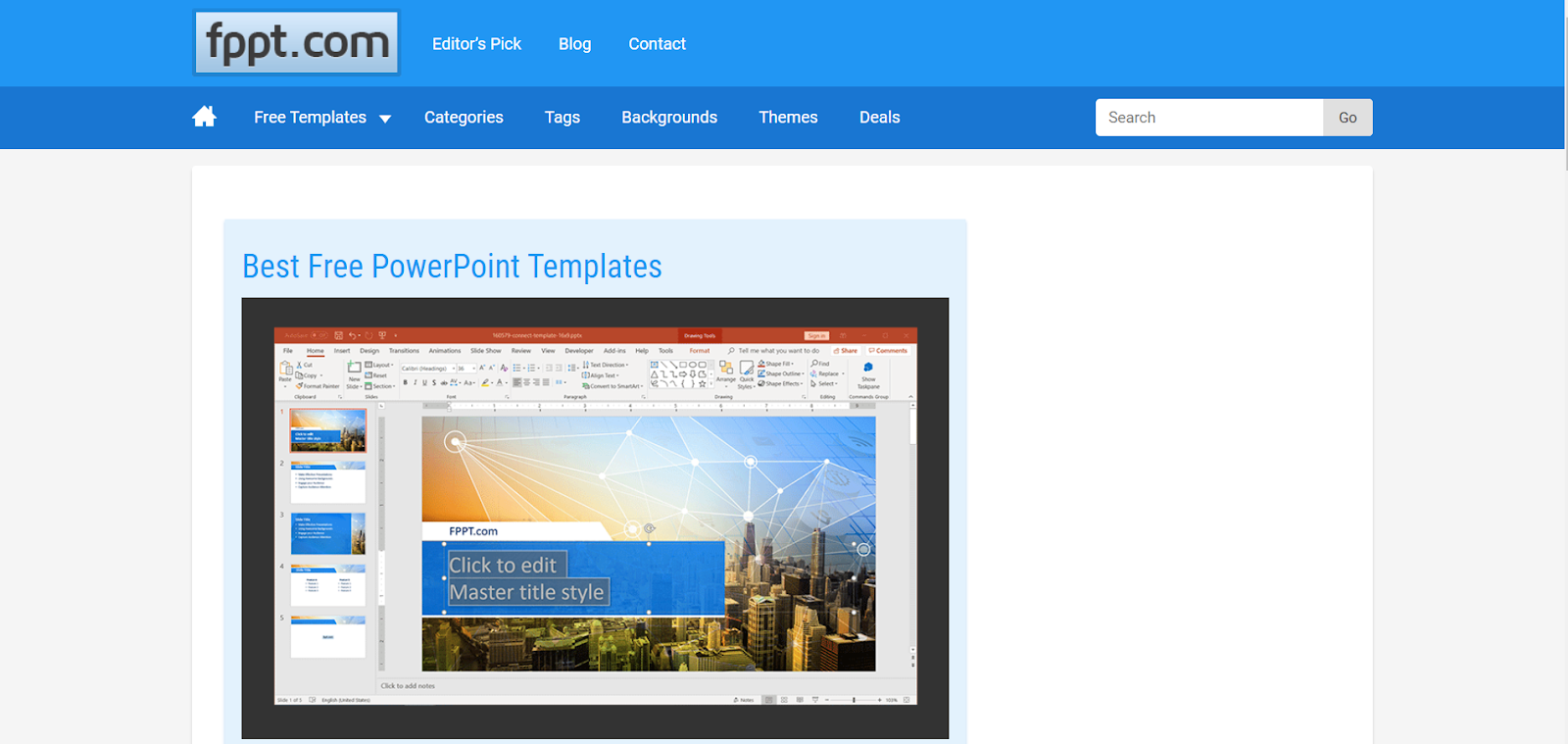
Source: Free AI PowerPoint template by FPPT

Create outstanding presentation anywhere at anytime

Business always keeps an eye on compatibility. Great news!!! FPPT is compatible with other popular presentation software. Presenters don’t need to worry about the version of the template. They can open, save and modify the template and slide designs on other platforms. Enjoy convenience and comfort while editing the layout on Keynote, Google Slide and more. After successfully modifying the presentation, you can upload it on Google OneDrive account or cloud. Therefore, presenters can view the presentation anywhere at any time. Also, modify the presentation on various devices – computer, mobile or tablet.

Collaborate with team

Collaboration is a strategic way to work effectively. Collaborating with your team is easier than ever with FPPT. Share the template with your team and stay up-to-date with each other on the go. Involving your team will make your task easier. Team members will share their views and knowledge on the presentation. Keep their views into consideration and modify the presentation for better.

Editor’s pick

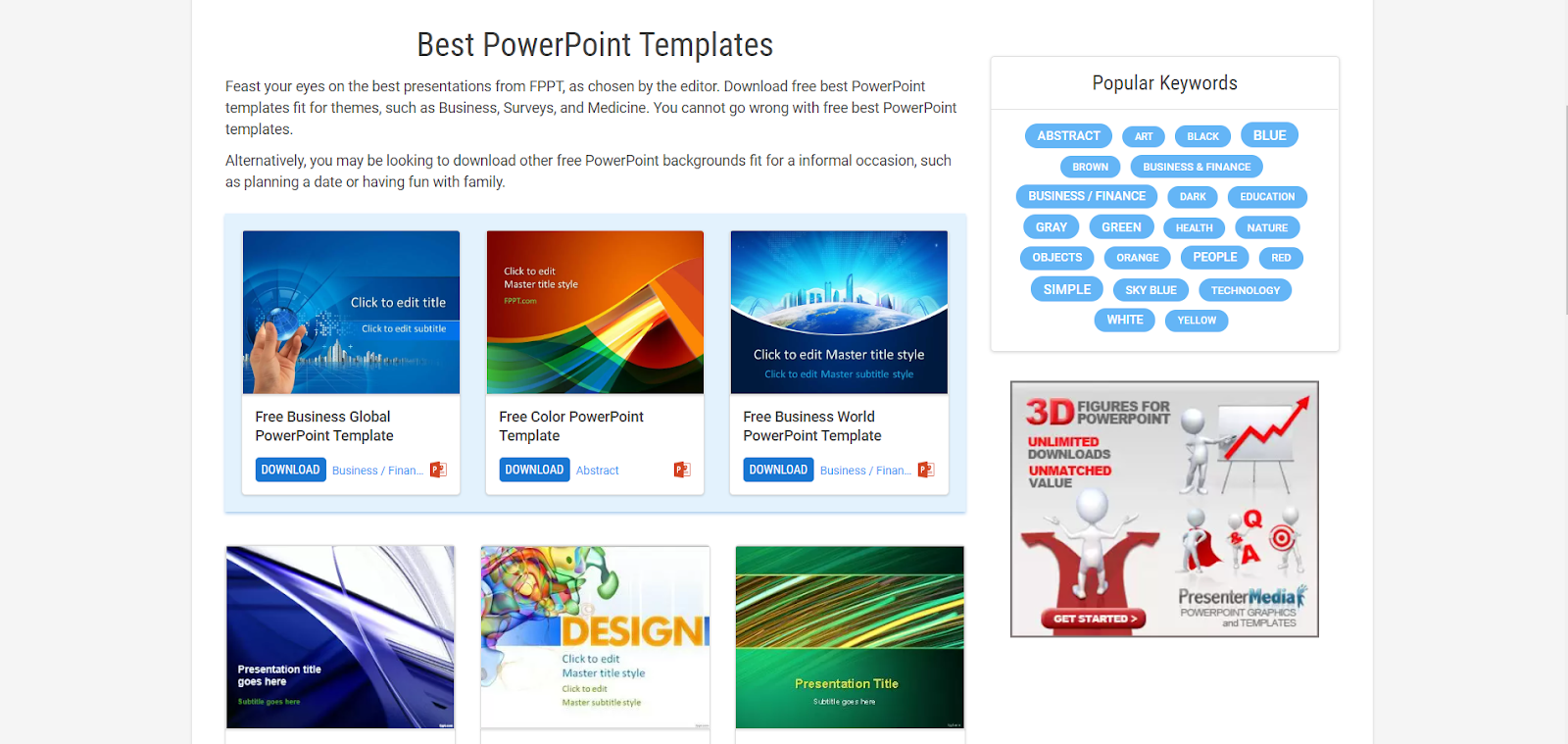
A selection of attractive and effective PowerPoint templates for free, including attractive presentation themes and PowerPoint animation templates. These templates are selected by FPPT editors. Scroll down to view the editor’s pick template. Browsing through editor’s pick selection is perfect for the one who is on a tight schedule. Presenters can save their time and effort while looking for recommendation templates. Choose the top-rated template with confidence and finalize your template in no time. Pick the template and customize accordingly and make your editing faster with top-rated templates. Add images, videos, infographics, charts, graphs and more. Download these templates for free of cost.

Search presentation templates by colour, keywords and tags

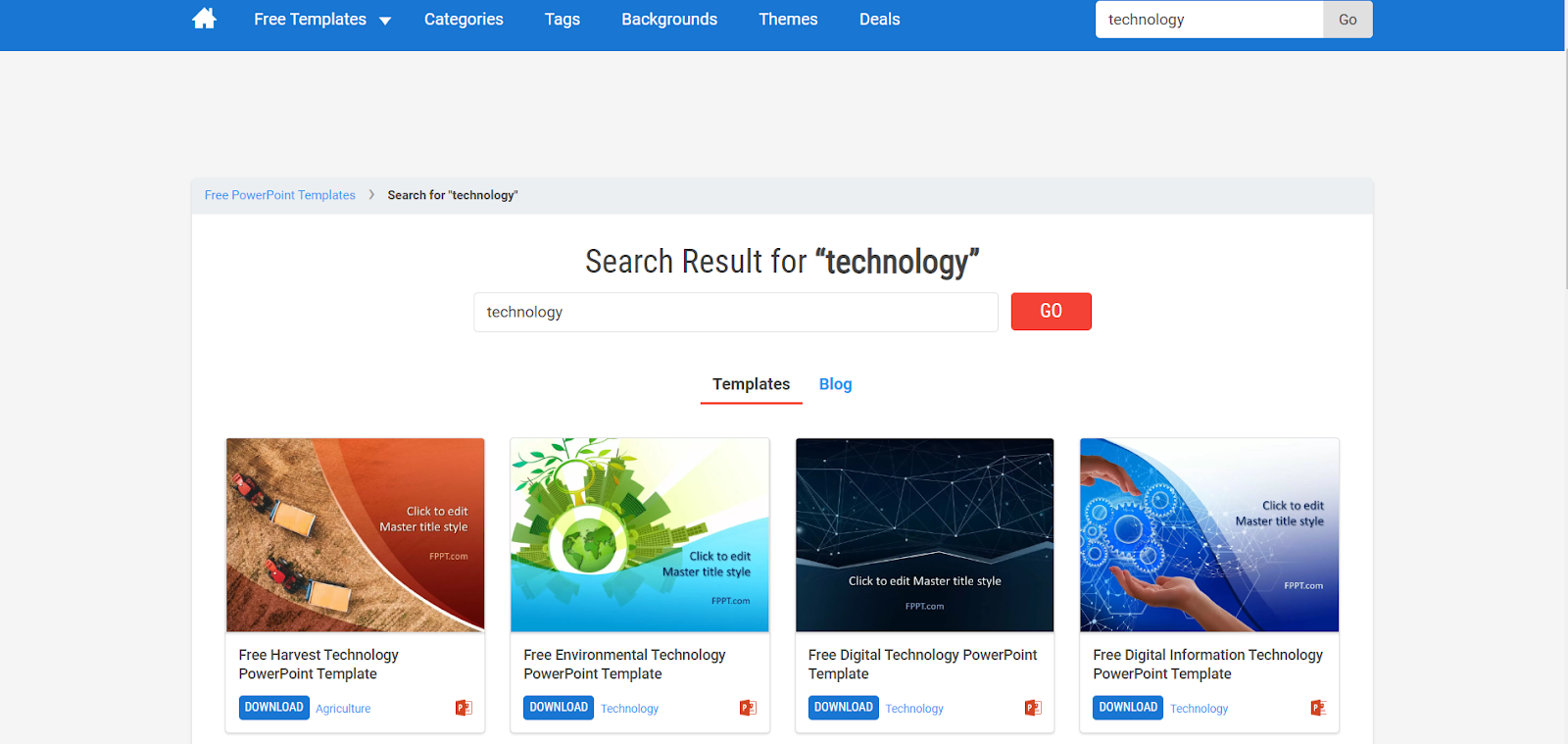
Colours have a great impact on templates. An amazing colour will add a professional appeal to every slide. Choosing the right colour is vital while designing a business presentation. Flashing the data with the background of your brand colour has a great impact on audiences attention and engagement. At FPPT, presenters can use the colour filter and get the exact colour to get their job done easily. The professionals at FPPT use the latest SEO techniques of tagging into every theme, template and background. Every template is tagged based on the content. Presenters can browse the tags and choose the template to save time. Besides, presenters can use keywords to get relevant templates. Consider, search for “Technology” presentation will provide search results as technology-related templates. Presenters can pick the best template as per their need.

Tutorial and tips

Source: Free Corporate PowerPoint template by FPPT

Learning the latest tips and strategies is the key to become successful. With FPPT, presenters can learn the on-going trends and tricks on how to design an attractive presentation and impress the target audience. The presentation destination offers valuable resources for newbie and professionals. These tips and tutorials are helpful for presenters to improve their slide design, short-cuts, communication skills and learn the latest concepts of technical presentation.

Conclusion

Want to enjoy FPPT benefits? Yes! Visit their website and browse thousands of professionally  designed unique templates, backgrounds and layouts. Pick the best one according to your requirement. All the templates are free at FPPT. Presenters can use these templates for personal or business presentations. Click on the download button. That’s it! The template is downloaded successfully. No matter whether you would like to customize the template on Keynote or Google Slide, FPPT templates are compatible with all the tools. Give a professional touch by adding attractive visuals and high-quality content to design a powerful presentation. With themes and templates picked by editors, presenters can boost their productivity. The editor’s choice themes will save presenters time and effort. Impress your audience by presenting professional and creative design.